
Activities Summary Tab
After selecting a Room, click the Activities tab  to add, edit, or delete activities.
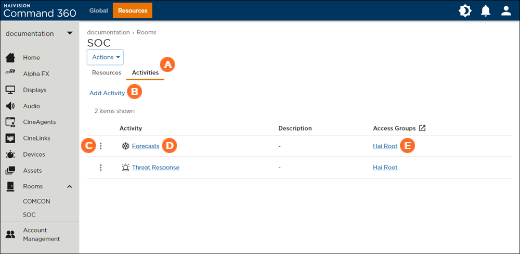
 Click Add Activity to create a new activity.
 Click the
  icon on an activity listing to edit or delete it. For more information, see Editing Activities.
 Click an activity name to view details about the activity, including transitions, connected resources, behaviors, schedules, and automation.
 Click an activity's access group to view access group properties.