
Selecting a Destination Profile
To select a destination Profile from the Unit Panel or from the Web Interface, see the sections below.
Unit Panel
From the Home menu, turn the wheel to select
 >
>  .
.
A green dot ( ) indicates the currently selected profile.
Turn the wheel to select another destination profile.
Press the wheel to confirm your choice.
Press the wheel again to confirm the modification of the destination profile.
Web Interface
From the dashboard in the Streams section, click the
 icon. The encoder's current settings appear: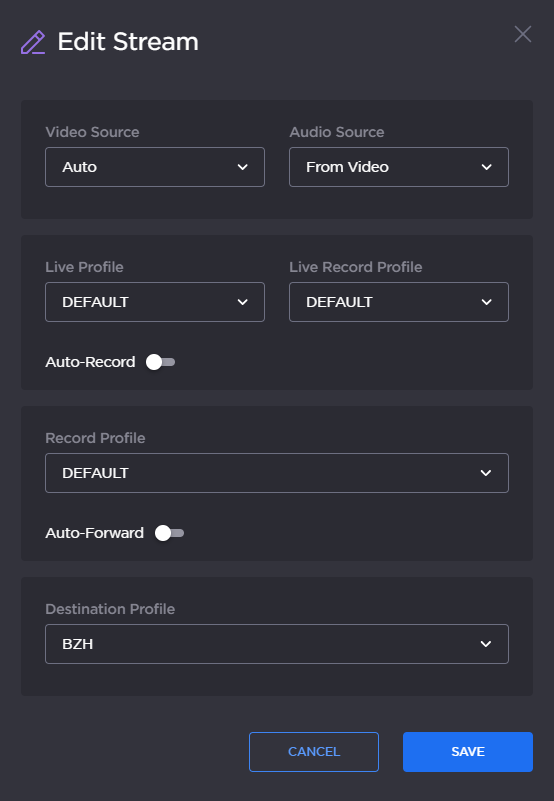
Edit Stream dialog
Select a pre-defined profile in the Destination Profile dropdown.

Tip
If none appear, see Adding a Destination Profile to add a profile.
Click the Save button.