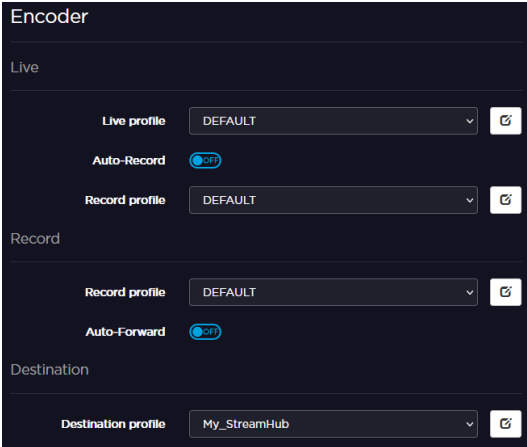
Selecting a Destination Profile
To select a destination Profile from the Unit Panel, or from the Web Interface, see the sections below.
Unit Panel
From the Home menu, tap
 .
.Tap
 and select
  .
.Tap
 until the profile required is displayed. A green dot (
 ) indicates the currently selected profile.
Tap
 to select the destination profile. A green dot () indicates the currently selected profile.
Web Interface
Click the
icon. The encoder's current settings are displayed.Select a pre-defined Destination Profile. See Adding a Destination Profile.