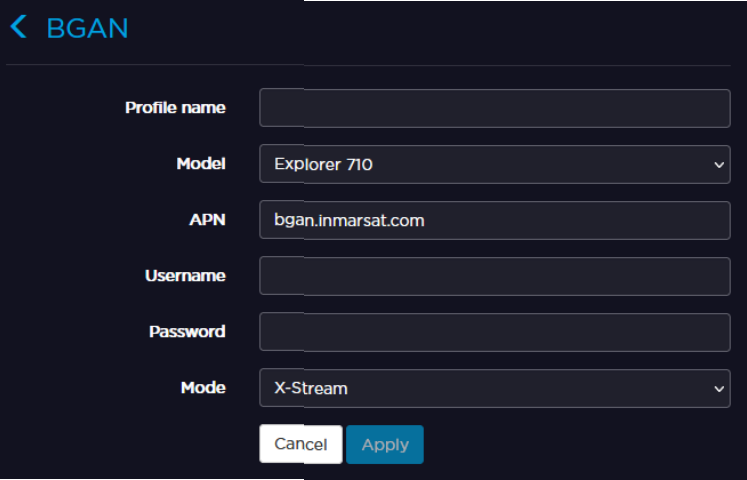
By default, the unit does not have any Broadband Global Area Network (BGAN) profile. You must create and configure a BGAN profile before selecting it in a Live profile or a Forward configuration. See Adding and Configuring a Live Profile and Configuring a Forward Settings.
See the sections below.
Unit Panel
From the Home menu, click on > >.
Fill in the settings: - Profile Name - Model: Hughes 9201, Hughes 9211, Explorer 710. - APN.
Enter a Username and a Password (if required).
Select a Mode: X-Stream, Background, HDR Full-Asymmetric, HDR Full-Symmetric.
Click on to save the BGAN profile.
Web Interface
From the Web Interface, click Network > BGAN.
Click . Fill in the settings: Profile Name, Model, APN.
Enter a Username and a Passwordif required.
Choose a Mode in the drop-down list.
Click Apply.
JavaScript errors detected
Please note, these errors can depend on your browser setup.
If this problem persists, please contact our support.


 .
. to save the BGAN profile.
 . Fill in the settings: Profile Name, Model, APN.