
Configuring the Audio Settings
From the Audio Encoders pages, you can configure four or eight independent audio encoders to apply to streams.
Click Audio Encoders on the sidebar (under General Settings).
The Audio Encoders List View displays information at a glance for the audio encoders.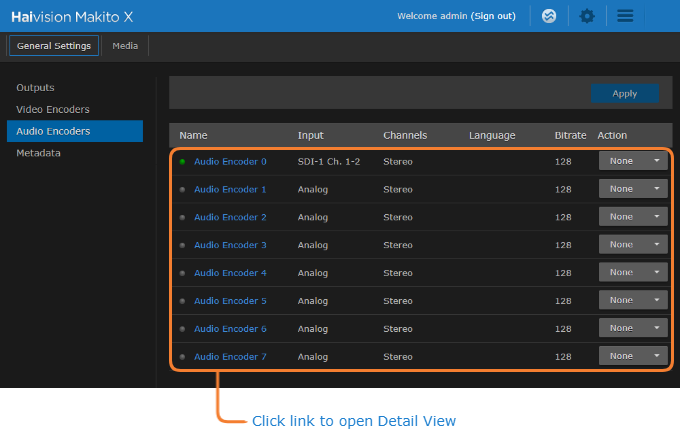
Audio Encoders list view
To change the status for an encoder, click the dropdown list under Action and select either Start, Stop or Mute (as applicable).
To view details or configure the settings for an audio encoder, click the link in the table.
On the Detail View, you can configure the Audio Encoder settings.
To configure audio settings such as the Input, Bitrate, and Language, select the new values in the appropriate fields. See Audio Encoder Settings in the User's Guide.
To apply your changes, click Apply.
To start or stop the encoder, click Start or Stop (as applicable).
To mute the audio (when active), click Mute.
To view statistics for the encoder, click Statistics.
Related Topics