
Getting Started
To get started with MoJoPro, it’s recommended to first add a connection profile and configure settings as needed. Once a connection has been added, you can begin using the full range of MoJoPro features.

Important
Before using MoJoPro, it is strongly recommended that you disable Portrait Orientation Lock in the iPhone’s Control Center.
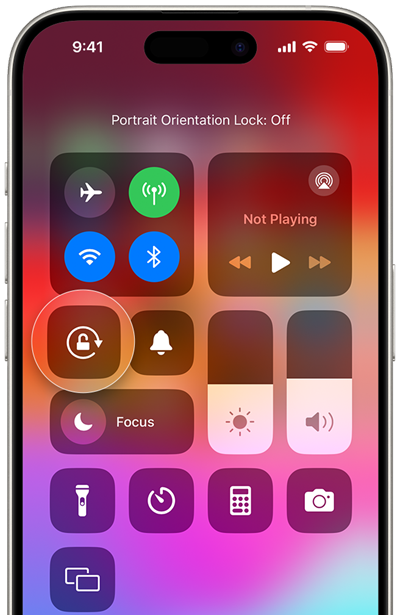
The MoJoPro interface is always displayed according to the orientation set on the Settings screen. However, if device orientation is locked, generated videos will be in portrait mode regardless of the in-app orientation setting.
Getting Started Topics