
Adding a Connection
The
You can add multiple connection profiles and switch between them to change the Live and Forward destination.
To add a new connection profile:
Go to the
 Menu screen and tap Connections.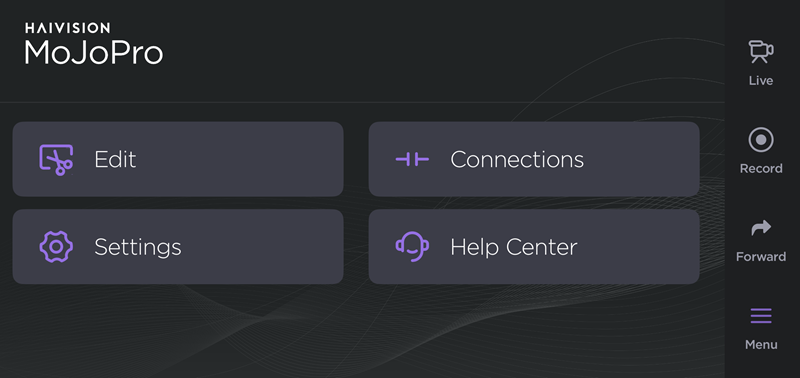
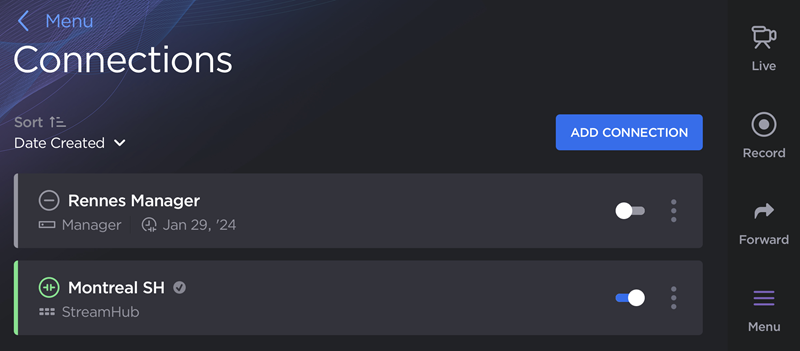
Tap the Add Connection button.
Enter a Name for the connection profile.
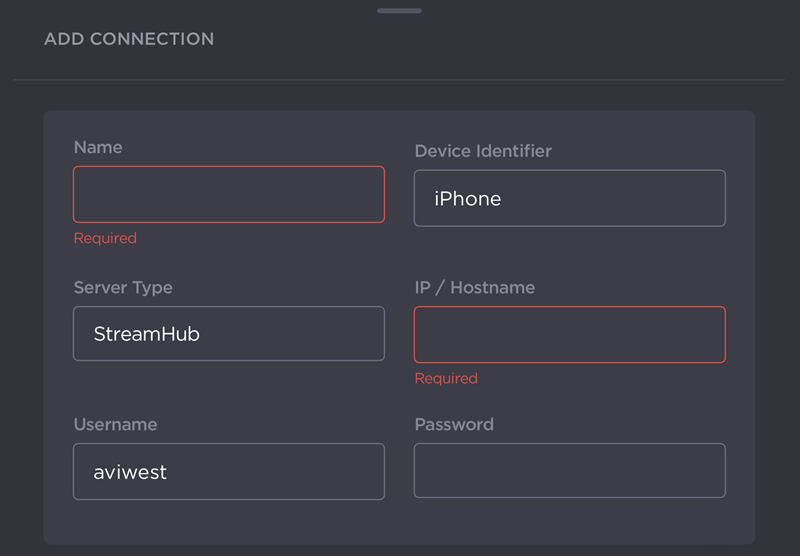
Enter a Device Identifier. This name will appear in the receiver's interface and be prefixed to recording filenames. If left undefined, the default device name is used (e.g., iPhone).
Select the Server Type (StreamHub, Manager, or Hub 360). Click the tabs below to view instructions for completing a connection profile for the selected server type.
To complete a StreamHub or Manager connection profile:
Enter the IP/Hostname of the receiver.
Enter the Username and Password to access the receiver. The preset credentials are the default StreamHub or Manager network login. If the administrator has changed the network login credentials, this information should be updated accordingly.
(Optional) Configure Advanced Settings as needed:
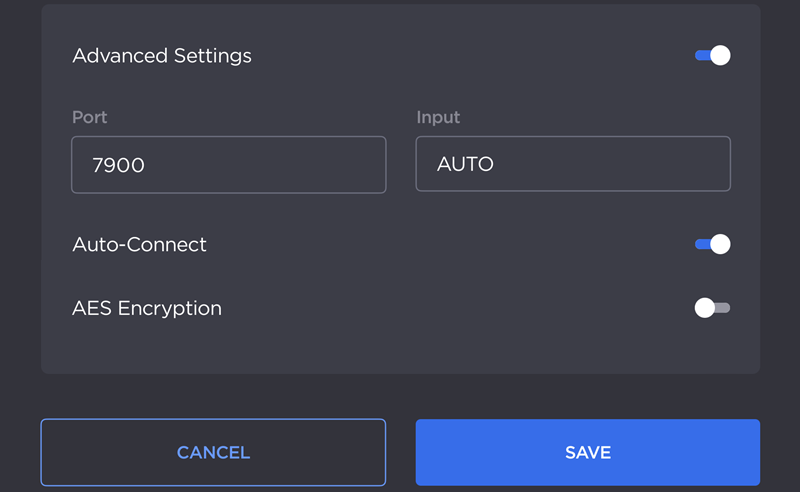
Enter the UDP Port number to use when communicating with the server. The preset value is the default UDP port. If the administrator has changed the port number, this value should be updated accordingly.
Enter the Input to use when connecting. This value can be explicitly defined (1-16 or 1-32) or set to AUTO to connect to the first available input.
Toggle Auto-Connect on or off.

Note
Enabling Auto-Connect reserves an input on the receiver to which you are connecting, and you can start live transmissions and forwarding files once the connection profile is saved. If Auto-Connect is disabled, an input is not reserved for your device and a connection will only be established when the connection profile is activated. In the event that there are more transmitters than available inputs, you may not be able to successfully connect to the receiver.
Toggle AES Encryption on or off. If enabled, streams are scrambled using AES-256 and you are prompted to enter an AES Key.
Tap Save.
Note
Only one Hub 360 connection profile is allowed at a time.
To complete a Hub 360 profile:
(Optional) Enable the Advanced Settings toggle to enable or disable Auto-Connect.
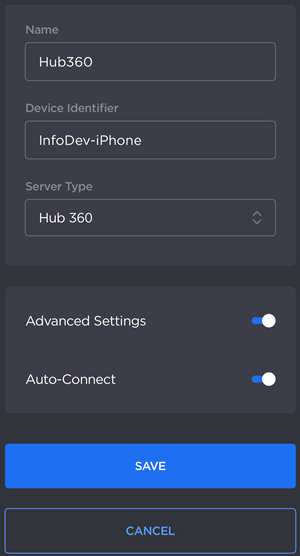
Tap Save.
When prompted, enter your Hub 360 Pairing Code.
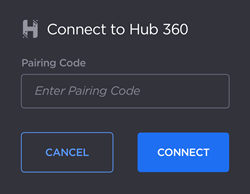
Tap Connect.