
Using the Remote Control
Connect the remote control to the unit via the USB cable.

Note
When the remote control is connected, the Power indicator switches on and the other indicators blink for 1 second.
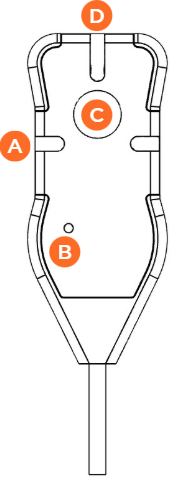
Live |
| The Live operation is starting. | |
UNKNOWN_ATTACHMENT Fixed Blue | The Live is in progress. | ||
Off | No Live action is running. | ||
Power | UNKNOWN_ATTACHMENT Fixed Green | The remote control is connected to the unit. | |
Off | The remote control is not connected to the unit. | ||
Live Button | Short press | When no action is running, starts a Live. | |
Long press | When an action is running, stops all actions. | ||
| Tally Light | UNKNOWN_ATTACHMENT Fixed Red | The Unit is ON Air. |
Off | The Unit is not ON Air. |
