Clone Database Connections Between Multiple Machines
Once all Access Profiles are setup on one CineAgent, relevant files may be copied to clone connections. This eliminates the need for recreating all connection setup processes.
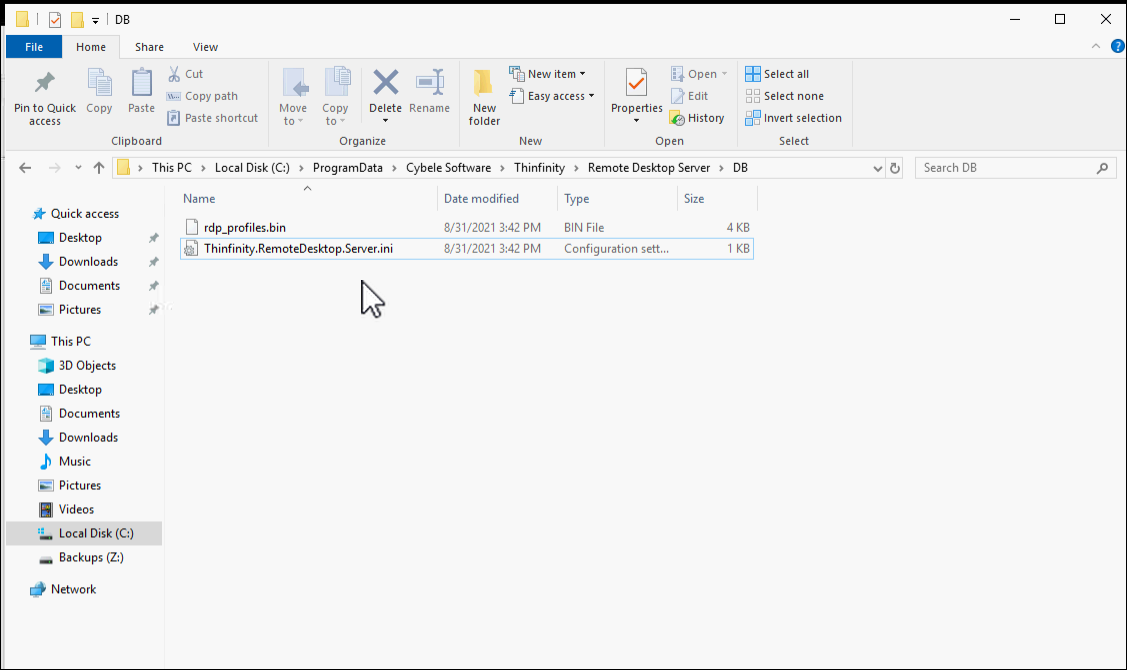
Navigate to File Explorer and locate the directory below:
C:\ProgramData\Cybele Software\Thinfinity\Remote Desktop Server\DBCopy all files inside this directory and paste them inside the other CineAgents same directory.
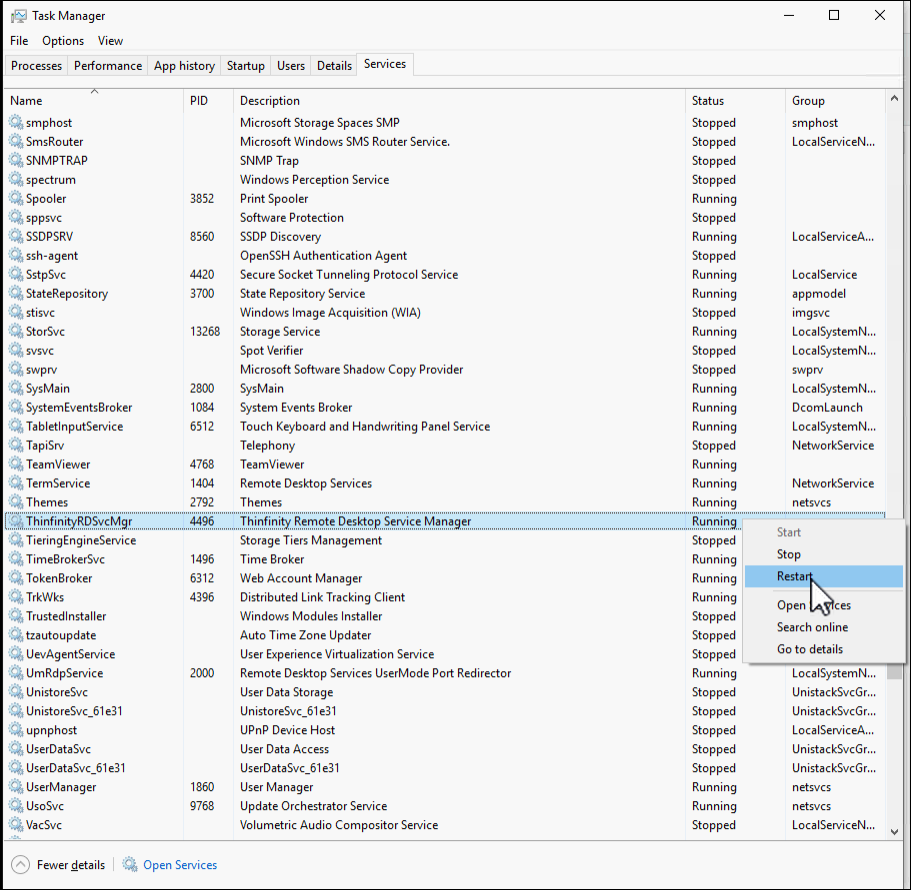
Launch Task Manager and restart the Thinfinity Remote Desktop Service Manager from the Services Tab.