
Changing the URL
To change the URL:
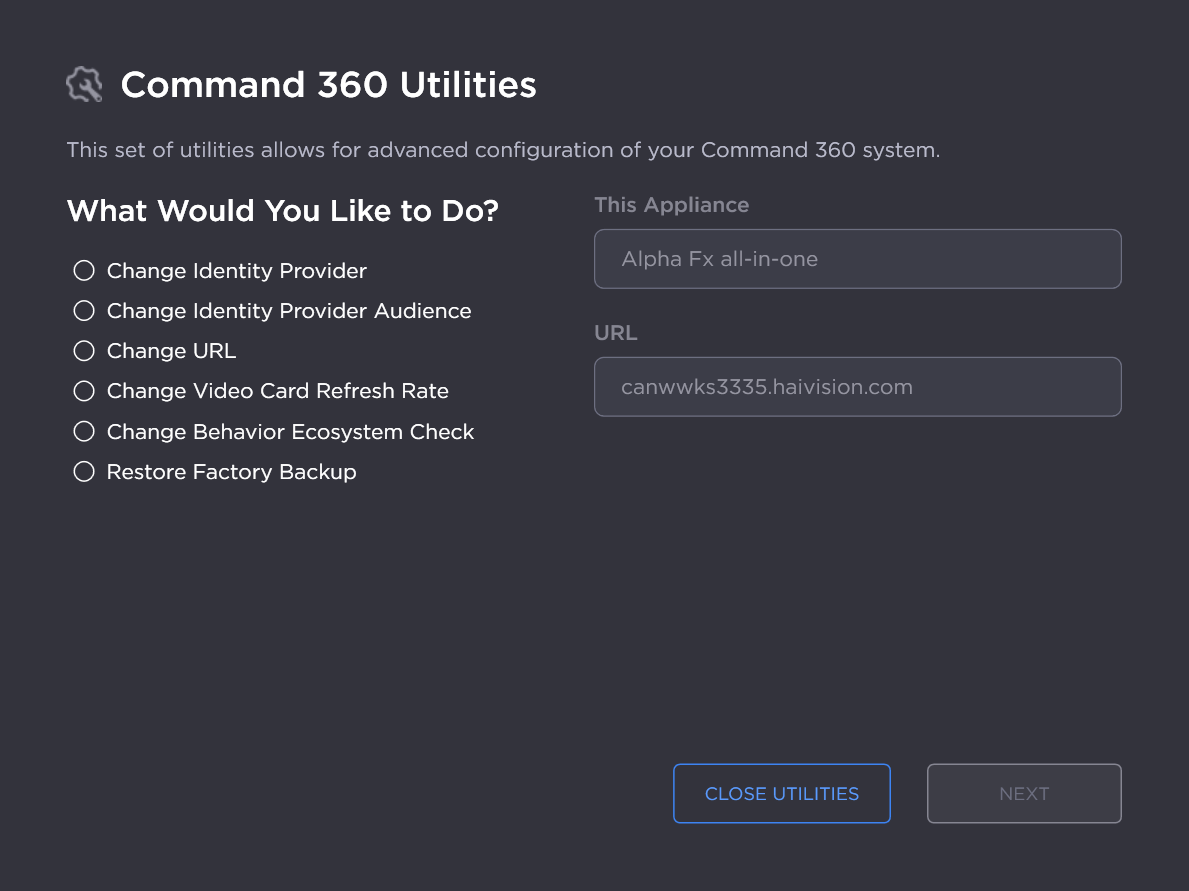
On the Command 360 Utilities main screen, select Change URL and click Next.
Enter the new access URL in the New URL field.
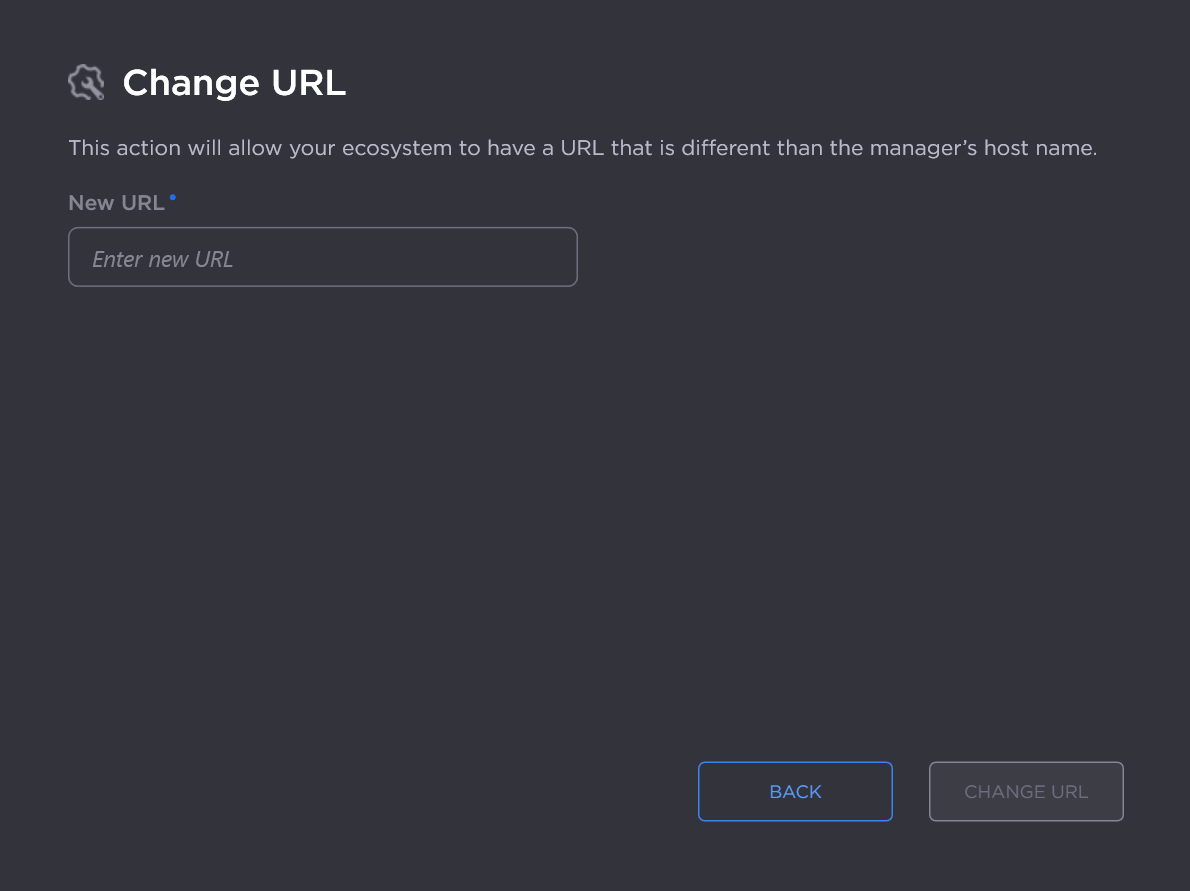
Click Change URL.
After the URL is successfully updated, click Close Toolkit.
To change the URL:
On the Command 360 Utilities main screen, select Change URL and click Next.
Enter the new access URL in the New URL field.
Click Change URL.
After the URL is successfully updated, click Close Toolkit.