
Device Service Setup
To set up a resource appliance:
Open a web browser and navigate to your organization's Command 360 machine URL: [https://org-name.command360.org].

Note
For information on Command 360 browser support, see Supported Browsers.
Click Next on the welcome page.
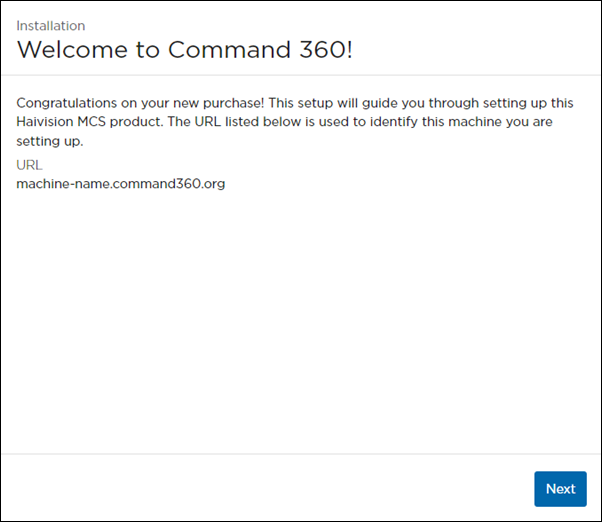
Welcome Screen with Machine URL
Select Resource Appliance for the Machine Type, then click Next.
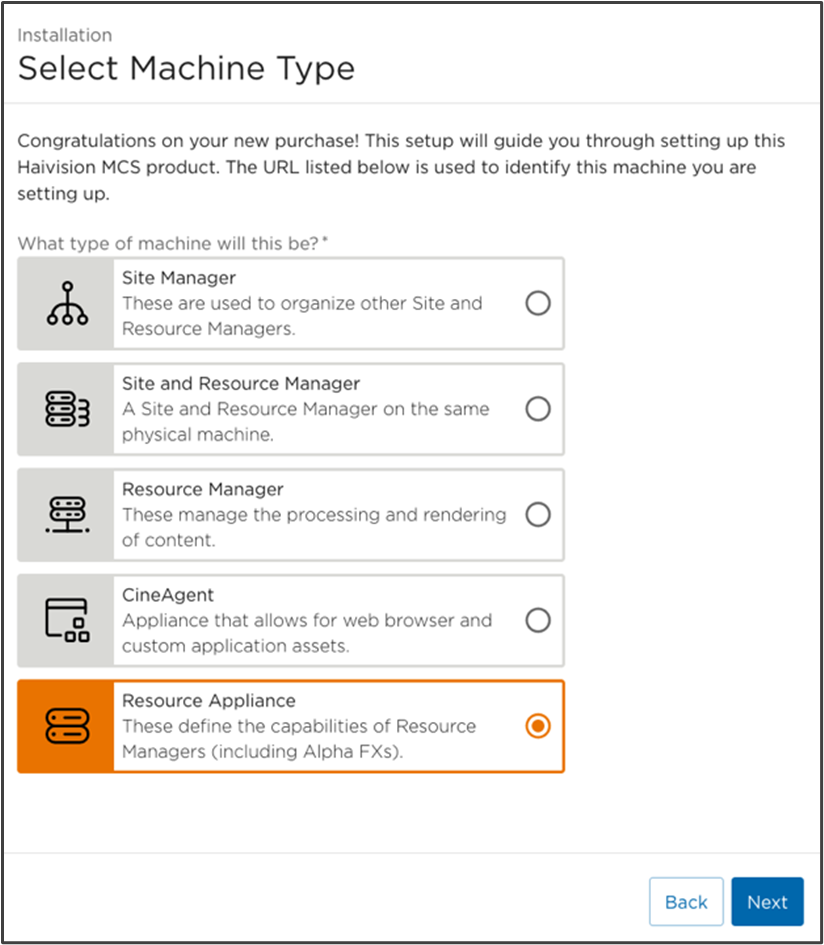
Select Machine Type Screen with Resource Appliance Selected
To set up a Device Service:
Select Device Service for the Resource Appliance, then click Next.
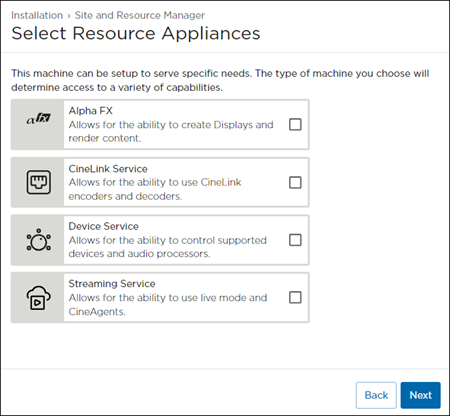
Choose either Standalone or Join Site Server for the machine's Location, then click Next.
Note
If setting up a standalone device server, the standalone option does not appear. Instead, a prompt asks which resource manager to join. The standalone option appears when setting up a Site/Resource Manager that also has a device control appliance.
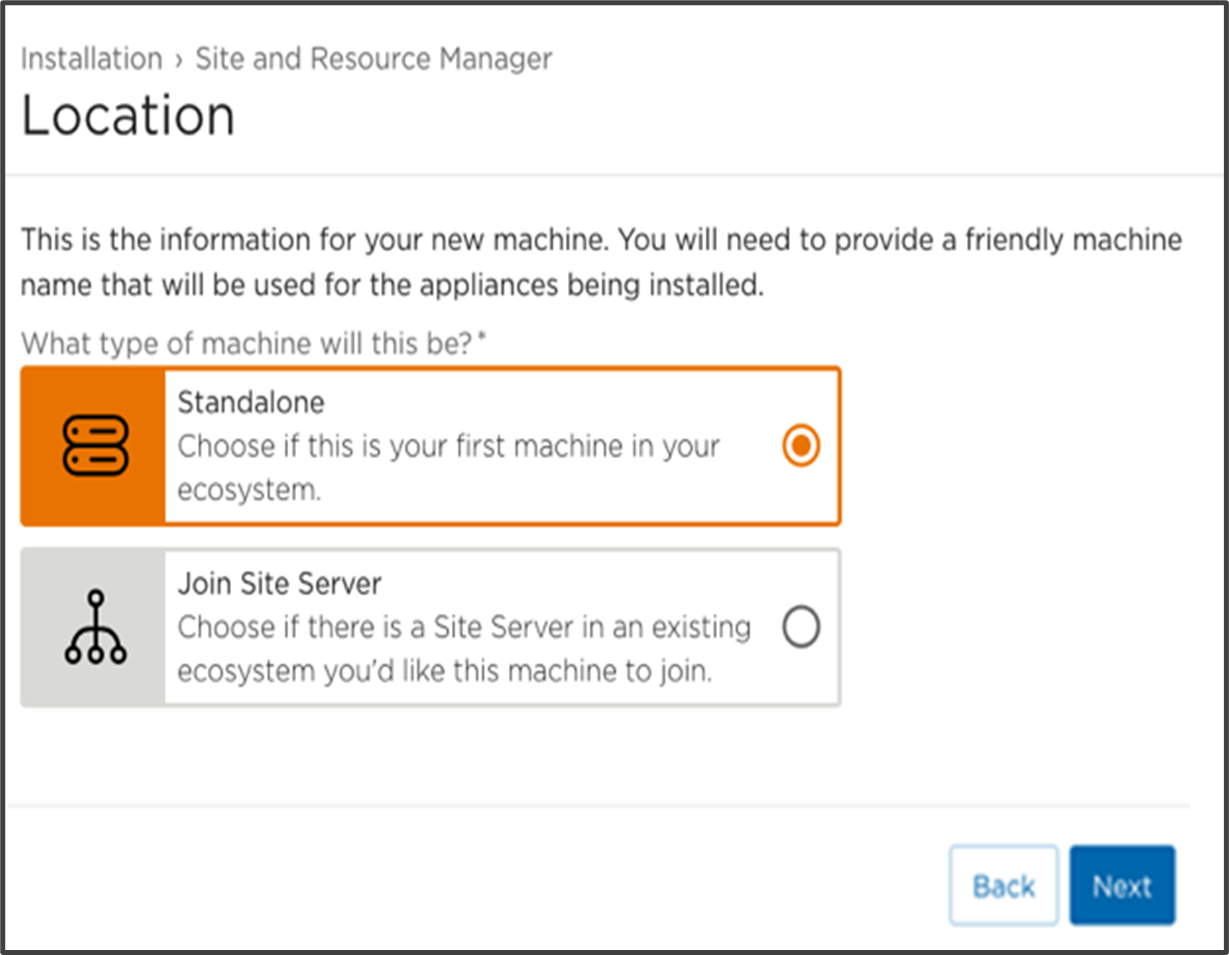
Choosing Join Site Server results in a request to join an existing ecosystem. See an example of this request in the section Accepting the Alpha FX Join Request.
A Confirmation page appears providing the Machine URL, Machine Type, Additional Resources, Site Name, and License Key information.
If any of the information needs changed or corrected, click Back to the appropriate page; otherwise, click Finish.
This completes the addition of a Device Service as a Resource Appliance.