
CineLink Service Setup
To set up a CineLink Service:
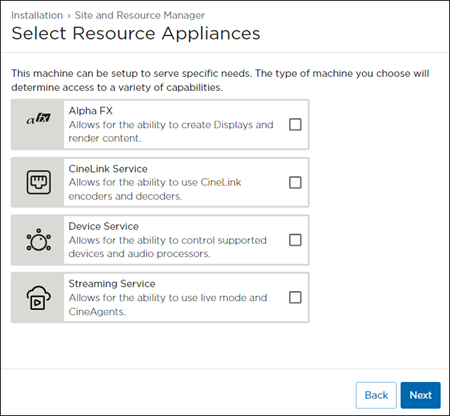
Select CineLink Service for the Resource Appliance, then click Next.
Choose either Standalone or Join Site Server for the machine's Location, then click Next.
Choosing Join Site Server results in a request to join an existing ecosystem. See an example of this request in the section Accepting the Alpha FX Join Request.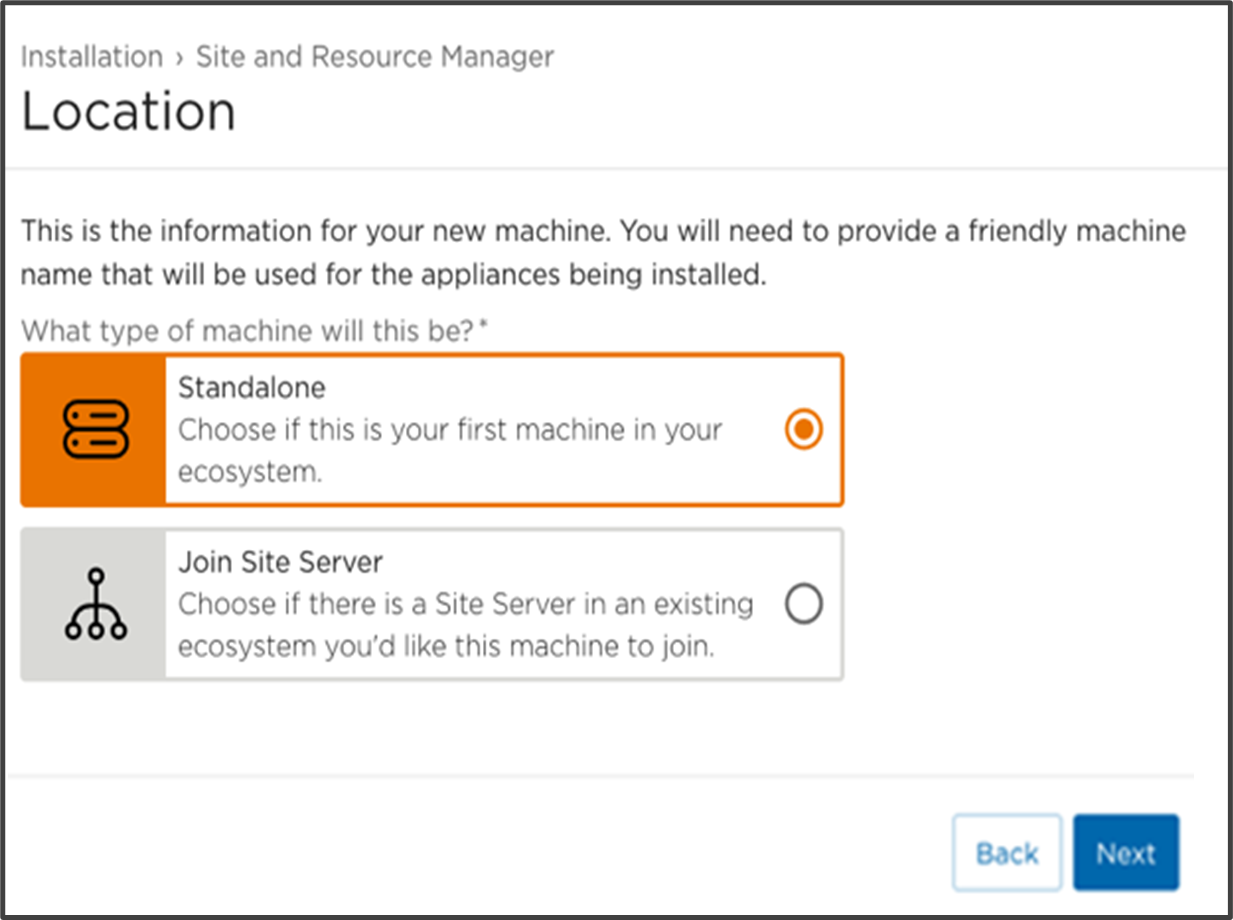
Site and Resource Manager Setup Location Screen with Standalone Selected
A Confirmation page appears providing the Machine URL, Machine type, Resources, Site Name, and License Key information.
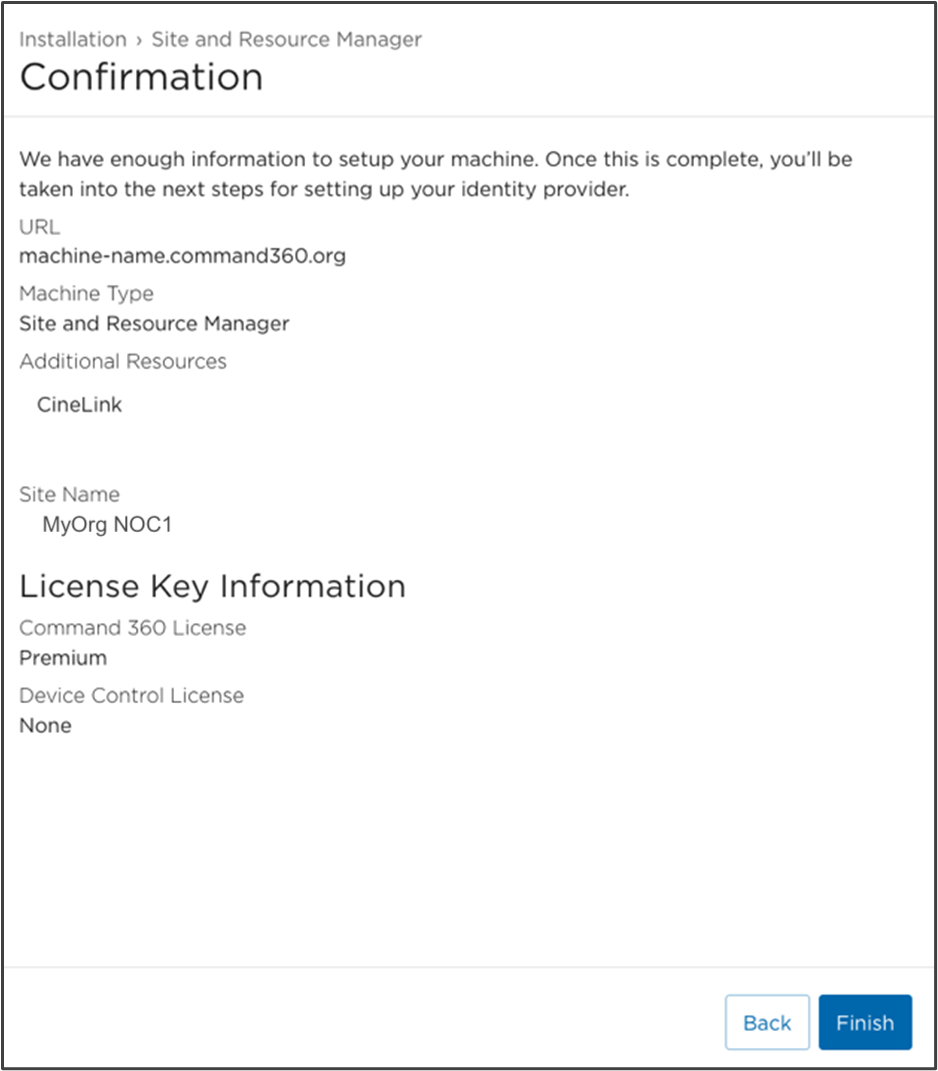
If any of the information needs changed or corrected, click Back to the appropriate page; otherwise, click Finish at the bottom of the confirmation page.
This completes addition of a CineLink Service as a Resource Appliance. Refer to the CineLinks topic to finish full setup.