
CineAgents
This topic describes how to configure a connected CineAgent.
To configure a connected CineAgent:
Click the user account icon in the top right and click Admin > Resources.
Click CineAgents on the left navigation column.
Locate the CineAgent to be configured. The status should appear as Finish Setup.
Click the
 icon on the far left of the appliance listing and select Finish Setup from the pop-up menu. The Finish CineAgent Setup side panel opens.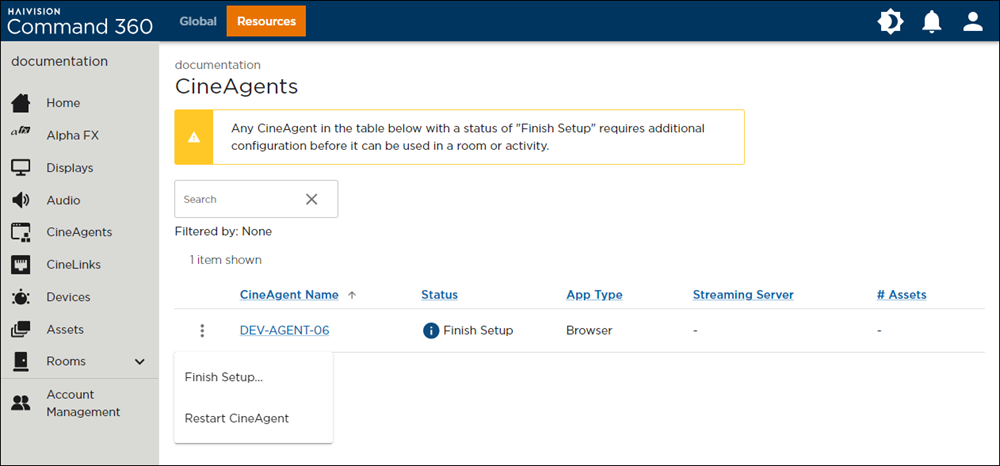
CineAgents Finish Setup Options
Select the desired Streaming Server from the drop-down.
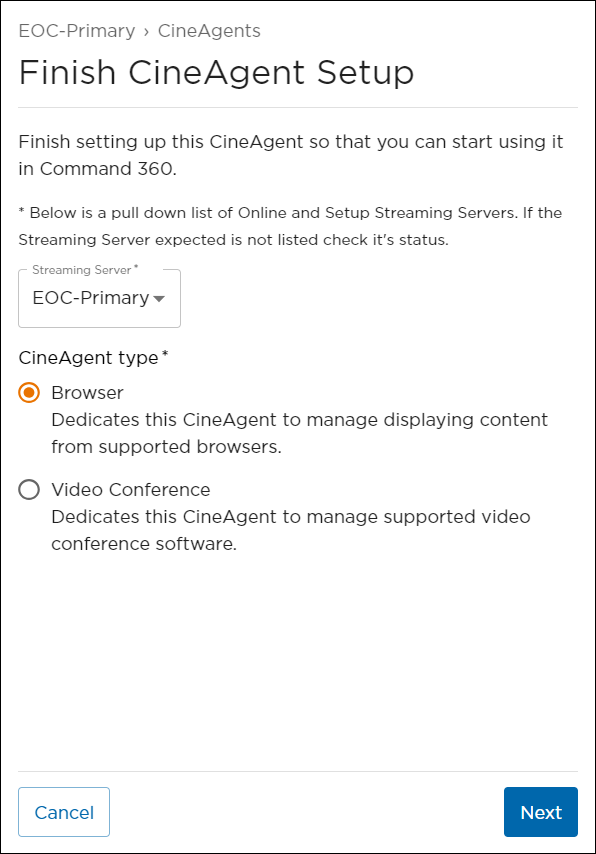
For the CineAgent Type, select Browser or Video Conference and click Next.
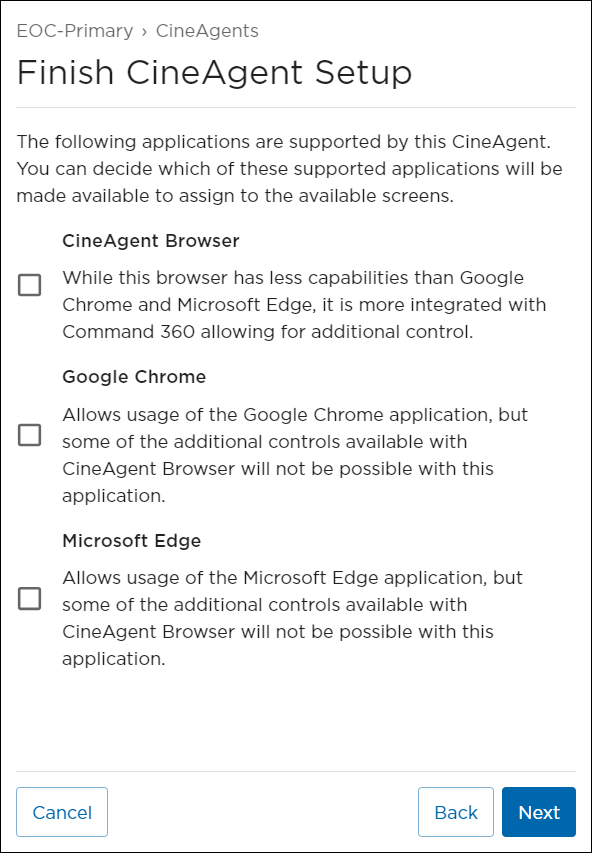
Click the checkbox next to each browser you want to support on the CineAgent and click Next.
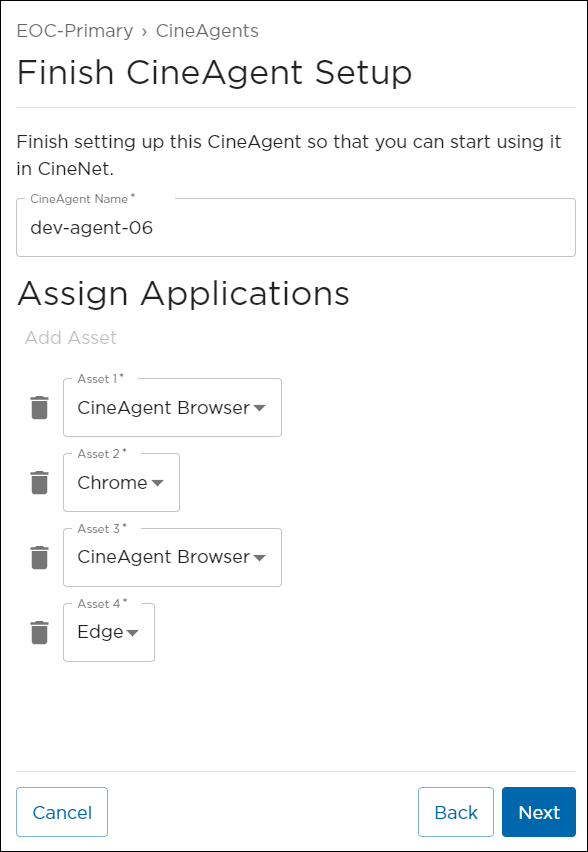
From here, you can edit the CineAgent Name and use the Asset drop-downs to assign applications.
Note
The Video Conference option is only available if your CineAgent is configured for one screen.
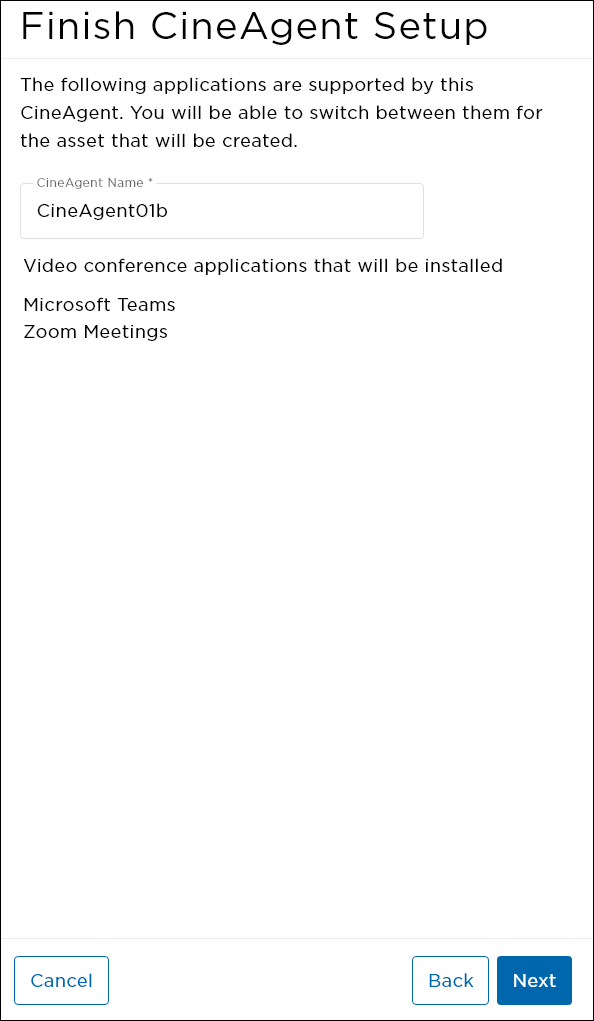
Microsoft Teams and Zoom will be installed on the CineAgent. You can edit the CineAgent Name before advancing.
Click Next.
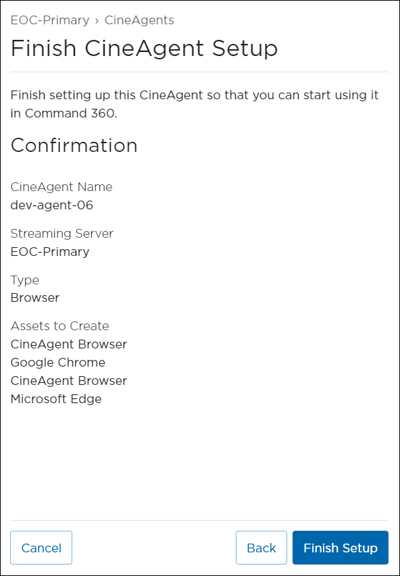
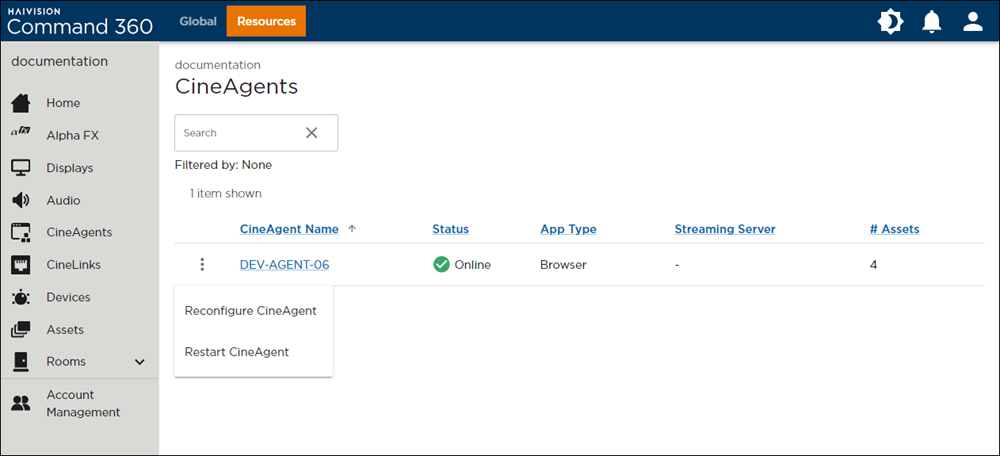
Review settings, then click Finish Setup. On the CineAgent resource page, the appliance's status appears as Initializing . Once complete, the status changes to Online.
Note
To reset the previously configured settings and revert the status to Finish Setup, click the icon on a CineAgent listing and select Reconfigure CineAgent.

This completes CineAgent configuration.
Related Topics