
Adding LAD Accounts

Note
Before adding a LAD account, you must add a LAD account role and access group. See:
To add a LAD account:
Click the user icon in the top right corner and click Admin > Resources.
Click Account Management on the left navigation column.
Click the LAD Accounts tab.
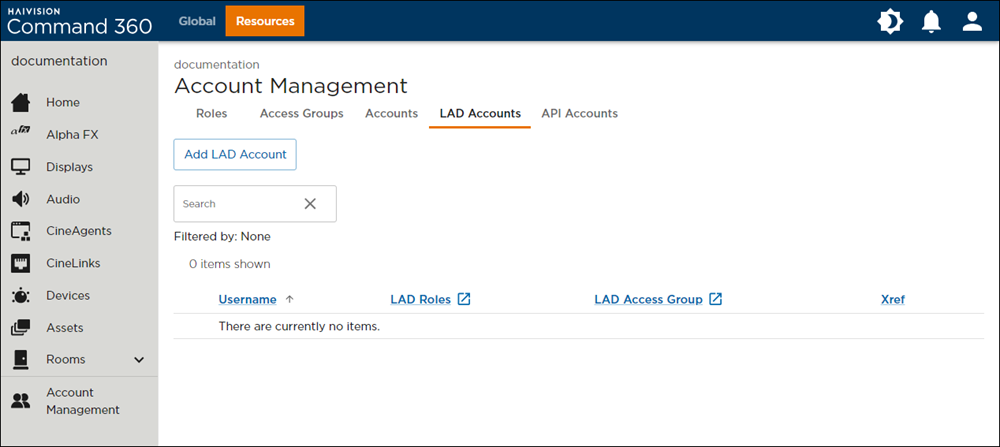
Click the Add LAD Account button.
Enter a Username to identify the control device.
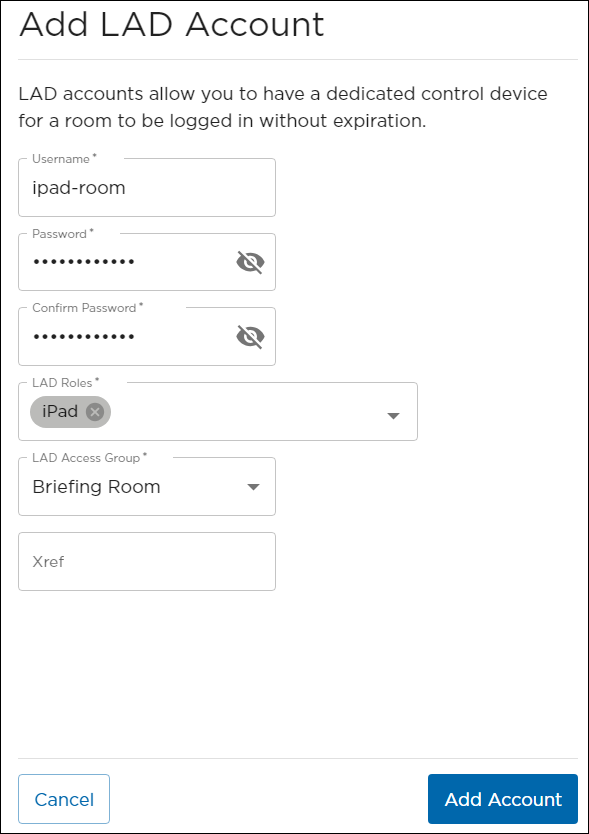
Add LAD Account Fields
Enter a Password and reenter it in the Confirm Password field.
Select the LAD Roles that correspond to the control device.
Select the LAD Access Group with the top level site that contains the room with the control device.
(Optional) Enter an Xref tag.
Click Add Account.
The new account is added to the summary table.