
Connection Loss during a Live with Simultaneous Record
Unit Panel
Recordings of your Live events will continue even if the network connection is lost and Live is interrupted.
If the network connection is lost:
You will receive an error message.
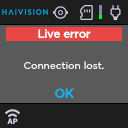
Press the wheel to select OK and return to the Live preview, where you will see the recording still in progress.
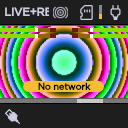
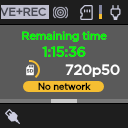
Turn the wheel to the left to view the resolution and remaining recording time possible on the SD card.

Note
The Forward function  is disabled when the network connection is lost.
Web Interface
Recordings of your Live events will continue even if the network connection is lost and Live is interrupted.
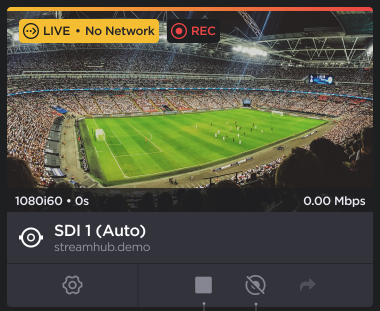
Network loss will be indicated by the No Network warning on the Live preview panel. When this occurs, you have the option to:
Stop the Live and the Recording by clicking the
 icon,
icon,Stop the Recording only by clicking the
 icon.
icon.
Note
The Forward function is disabled when the network connection is lost.