Selecting the Audio Source
You can select amongst two options:
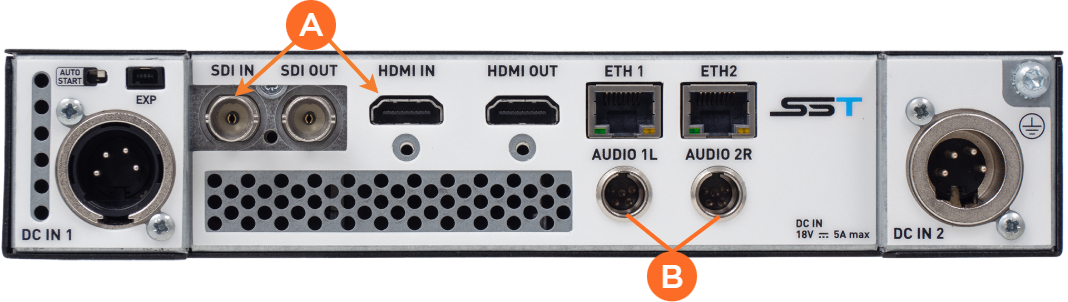
From Video – When using the SDI or HDMI inputs
 , the audio is embedded in the video source.
Analog (Balanced) – The analog audio inputs
 are used to connect to an analog audio source.
Unit Panel
From the Home menu, tap
 >
>  .
.Tap
 . The current source is displayed.
Tap the Audio source field to select another source.
When Audio source is set to Analog, the Audio Level field appears.Tap
 or
or  to adjust the analog input level.

Note
0% is for audio muted.
100% is for the max applicable gain.
Web Interface
From the dashboard, click
 .
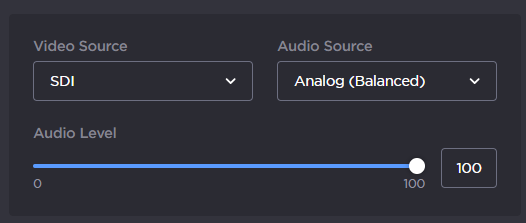
.In the Audio Source field, select the audio source amongst 2 options:
From Video
Analog (Balanced)
When the audio source is analog, move the Audio level cursor to adjust it.
Note
0% is for audio muted.
100% is the max applicable gain.