
Starting a Forward
You can choose to forward the last record, a selection of records, or all files from the Unit Panel or from the Web Interface. See the sections below.

Note
Ensure a mass storage device, such as an SD card or a USB memory stick, is connected to the unit.
Unit Panel
From the Home menu, use the wheel to select  . To forward:
The Last Record | Specific Files | All Files |
|---|---|---|
|
|
|


Web Interface
In the sidebar, click Media.
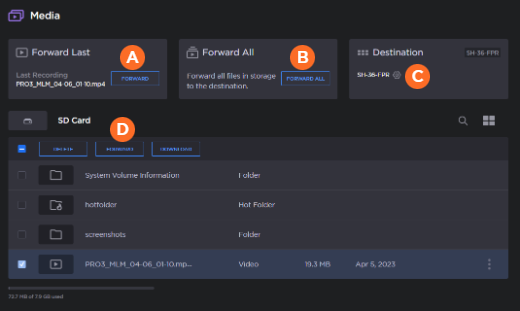
 To forward the last recording, click the Forward button.
 To forward all files, click the Forward All button.
 To change the forward destination, click the
  icon under Destination.
 To forward specific files, click the checkbox next to each file you wish to forward under the storage device and click the Forward button.
The
 icon indicates forwarding is in progress. To pause forwarding, click the
  icon next to the progress bar.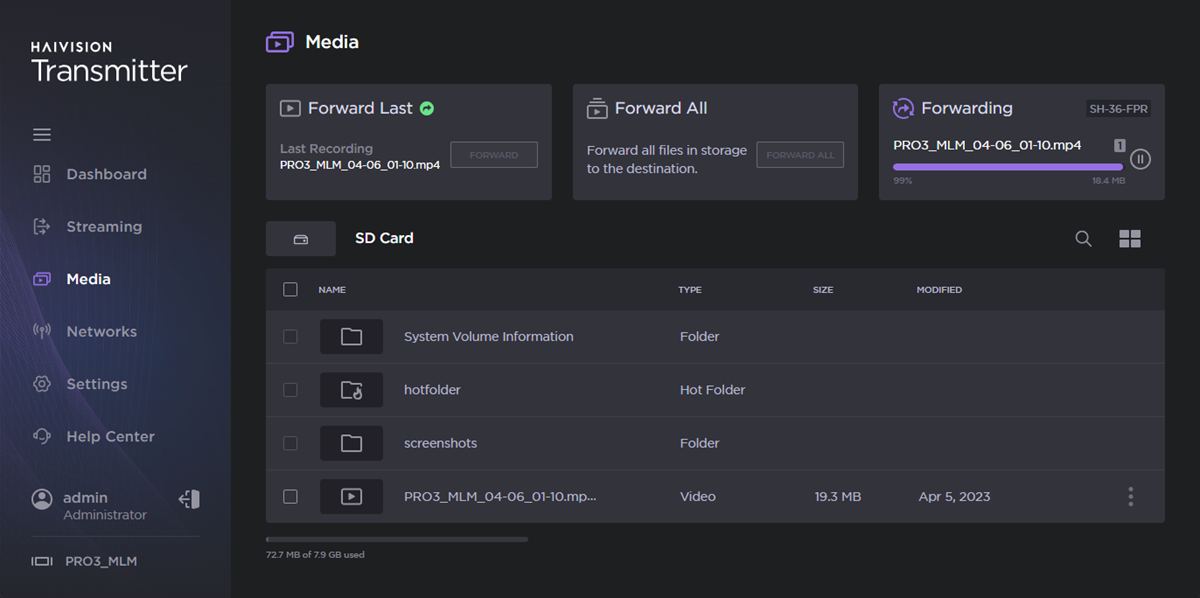
Forward In Progress