
Selecting a Predefined APN
yIf the SIM card operator is registered in the unit's database, the unit automatically assigns a name and an APN. If the APN assigned is not relevant, you can select another one within a predefined list, or configure a new one. See the tabs below.
Unit Panel
From the Home menu, use the wheel to select
 > MOD >
  >
>  .
.Use the wheel to browse APNs and to select one.
Enter the password and select
 to save.
Web Interface
From the dashboard, in the Networks section, click
 on an active modem.
Click the SIM Settings button.
Click Pre-Defined APN and select an APN in the drop-down list.
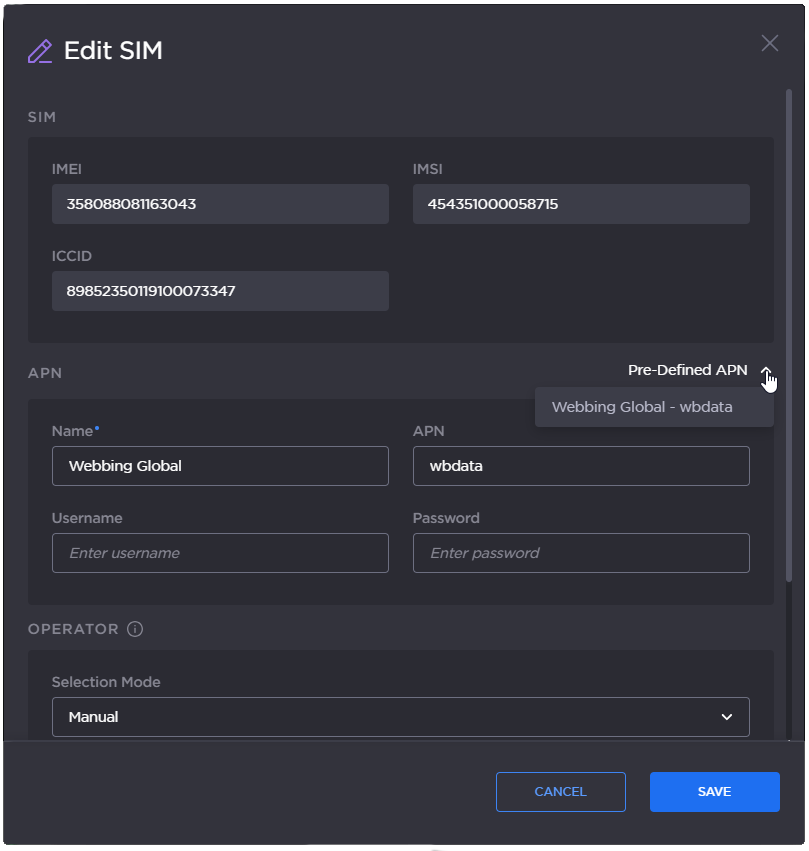
Pre-defined APN
Click the Save button.