Installing the Unit
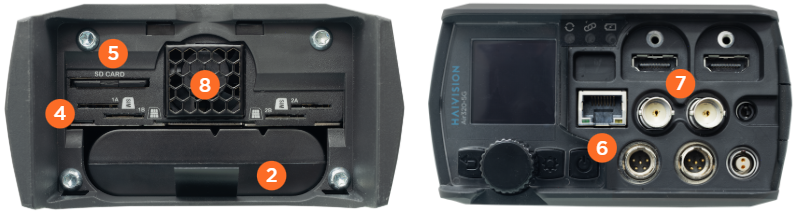
Follow the steps outlined below to install the unit. The labels in the subsequent image indicate the step numbers.
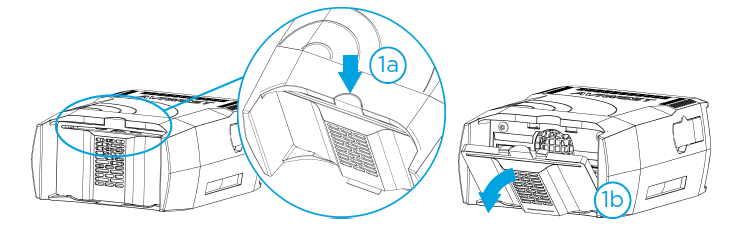
Remove the rear panel.
Press on top.
Remove the cover.
Install the battery onto the unit (if not already installed).
Connect the AC/DC adapter and power cable.

Note
To disconnect, pull the self-latching mechanism to release the connector.
Insert an SD card (if not already installed). It is recommended to use a FAT32 or exFAT formats and a class 10 SD card.
Insert a SIM card in a slot (not applicable for Air200).
Note
Slots 1A and 1B are coupled to Modem 1. While slots 2A and 2B are coupled to Modem 2.
For Ethernet transmission, connect the Ethernet cable. DHCP is the default operating mode.
Connect the video input cables (SDI or HDMI).
Ensure that the unit's ventilation grids are not obstructed.