
Importing the Unit Configuration
You can import the unit configuration via the unit panel, web interface, or a USB flash drive.

Note
You can also import the configuration from Manager (v3.3.0 and higher).
From the Home menu, use the wheel to select
 >
>  > Configuration > Import from file.
Select the
.awjfile to be imported from the SD card or the USB flash drive.
In the sidebar, click Settings.
Click the Configuration tab.
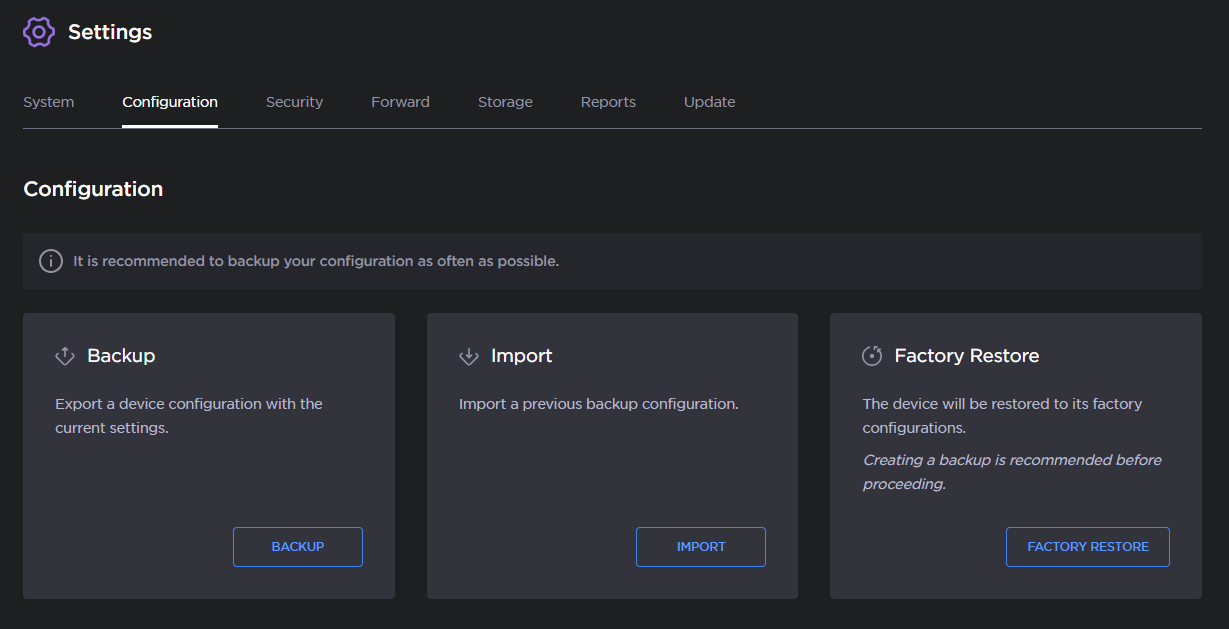
Configuration Options
Click the Import button.
Drag and drop or click Browse to select the
.awjfile to be imported.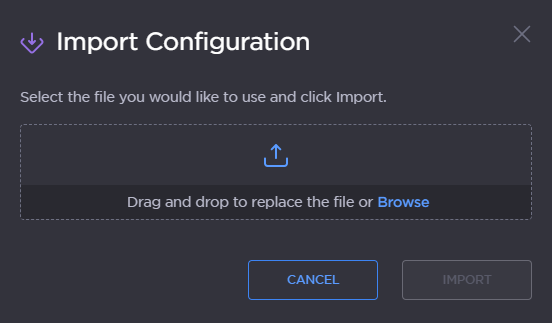
Import Configuration dialog
Click the Import button.
The unit supports automatic reconfiguration at startup or after detecting the insertion of a USB flash drive containing specific configuration files in its root directory.
For an overall configuration: the file must be named
autoconfig.awj.For a configuration related to network only: the file must be named
networkconfig.awjornetworkconfig.conf. If both are present, onlynetworkconfig.confwill be used.For a Destination Profile auto-configuration: the file must be named
destinationconfig.awj.
Note
If autoconfig.awj, networkconfig.xxx, and destinationconfig.awj are present, only autoconfig.awj will be used.
The reconfiguration is rejected when:
the file format is not valid,
the file is not applicable for the product (e.g., Air configuration file applied on Pro3), or
the unit is in operation (Live, Forward, Record).
Note
When the unit is reconfigured, the Activity LED blinks blue 3 times.
When reconfiguration is rejected, the Activity LED blinks red 3 times.