
Enabling / Disabling AES encryption
You can decide to encrypt a video during a Live operation, provided the destination server's license includes this option.
You can enable and disable the video AES encryption from the Unit Panel or the Web Interface.
Unit Panel
From the Home menu, turn the wheel to select
 >
>  .
.Turn the wheel to select the destination profile where the video is sent to and press the wheel to confirm.
Turn the wheel to select
 > ADVANCED + > AES Encryption field.
Press the wheel to enable or disable this option.
If enabled, use the wheel to enter the AES key as defined in the destination server interface (please refer to the Manager and StreamHub User Guides).
Turn the wheel to select
 and press it to confirm.
Web Interface
Click Streaming > Destination.
Click
 > Edit on the Destination Profile where the video is sent to.
In the Advanced section, click on the toggle button to enable AES encryption.
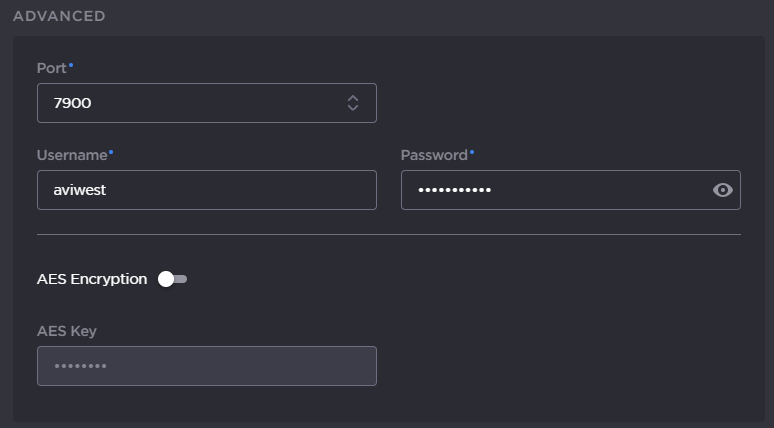
Enter an AES Key if required.