
Configuring the Unit Name
Giving a significant name to the unit allows you to identify it easily on a receiver's (StreamHub, Hub360, etc.) interface. To configure the unit name from the Unit Panel or from the Web Interface, see the sections below.
Unit Panel
From the Home menu, use the wheel to select
 >
>  > General > Product Identifier.
Use the wheel to enter an ID and select
 to confirm
Web Interface
From the Dashboard, in the sidebar click Settings > System.
In the Device Name field, enter an ID (up to 21 characters).
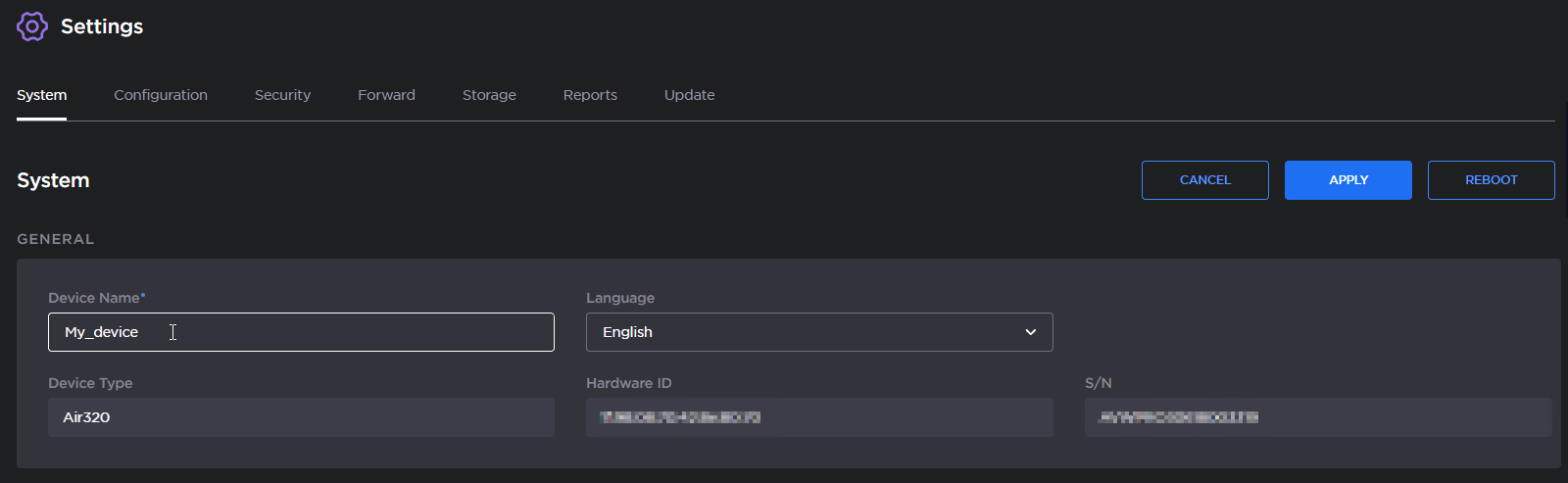
Click the Apply button.