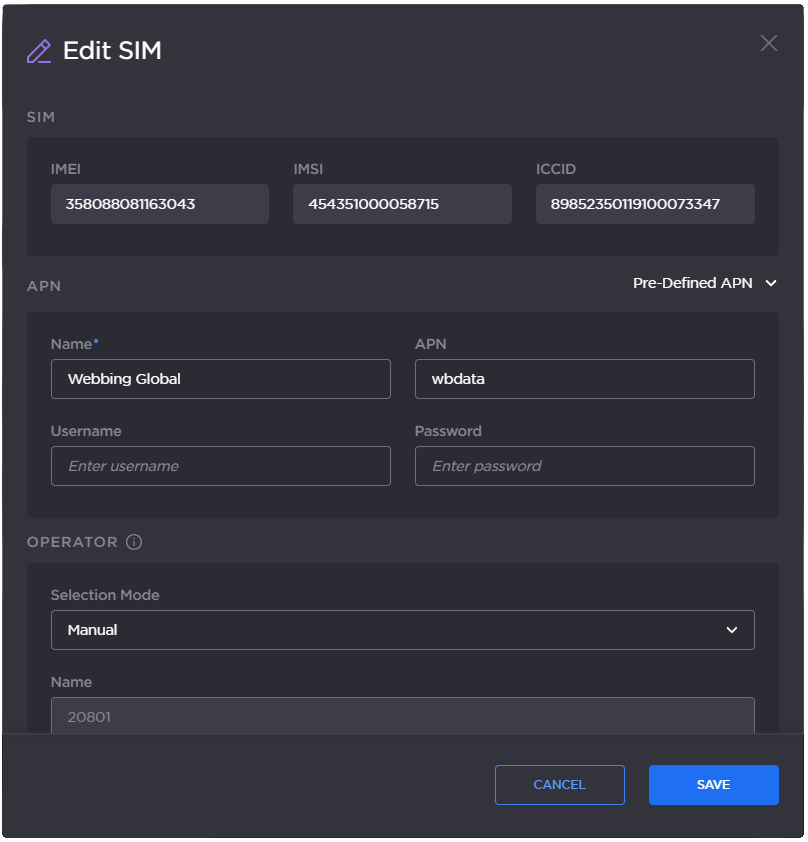
Configuring a New APN
To configure a new APN from the Unit Panel or from the Web Interface, see the sections below.
Unit Panel
From the Home menu, use the wheel to select
 > MOD >
  .
.
Use the wheel to enter a name, a username and a password if required.
Select
 to save.
Web Interface
From the dashboard, in the Networks section, click the
 icon on an active modem.
Click the SIM Settings button.
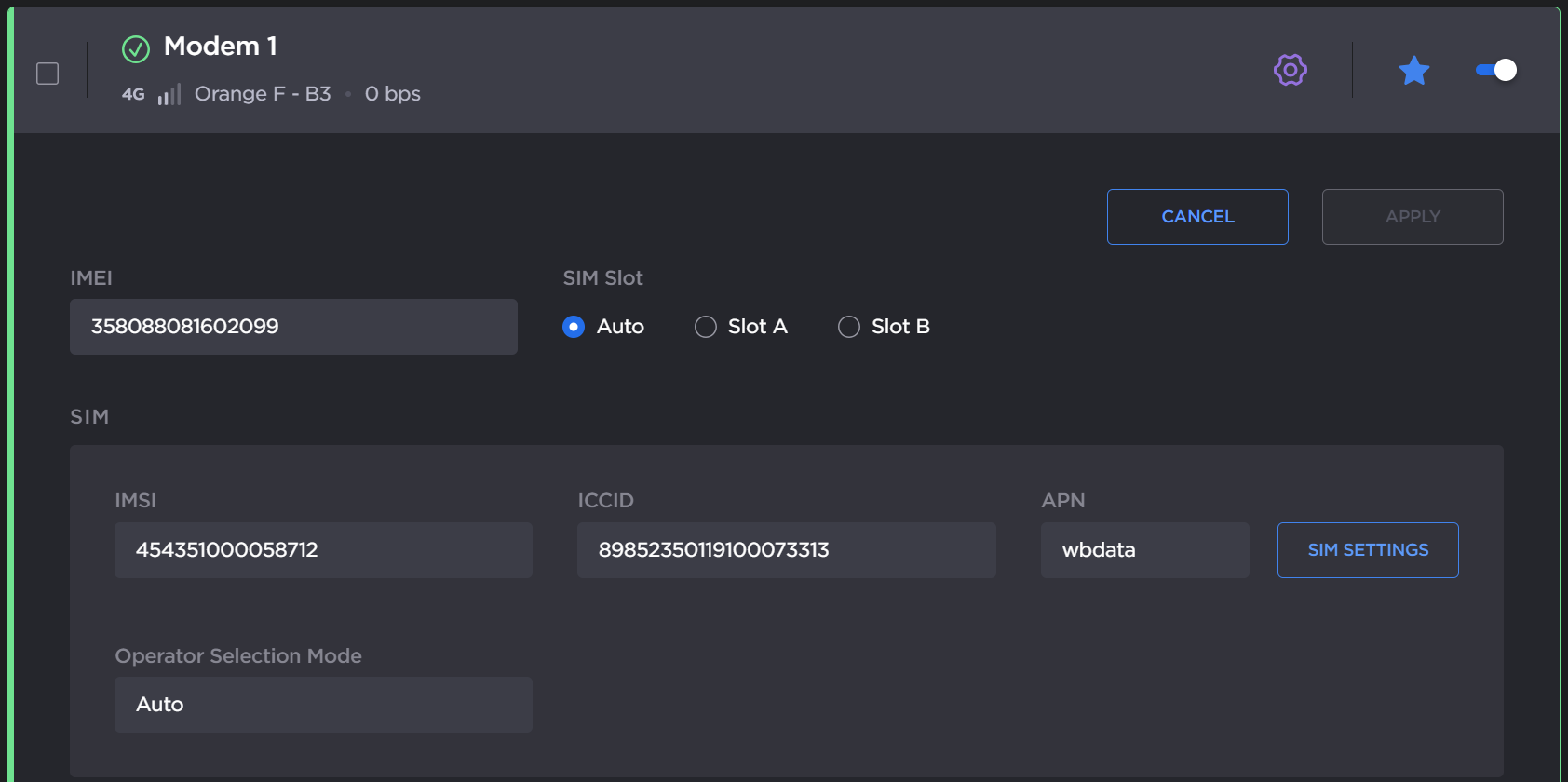
SIM settings
In the APN section, enter the APN fields with the proper settings and click the Save button.