Using the Intercom
The Intercom function enables you to communicate with the Master Control Room, using a microphone or a headset connected to the unit. You can manage the Intercom function from the StreamHub interface.
Connect the headset or microphone to the unit.
From the StreamHub interface, start the Intercom session (please refer to the StreamHub User Guide).
The intercom session is indicated by the icon 

To adjust your microphone/headset volume levels:
Front Panel
From the Home menu, tap
 .
.Tap
 .
.Tap
 to move to settings Micro and/or Headset levels.
Tap
 or
or  to move the cursor.
Web Interface
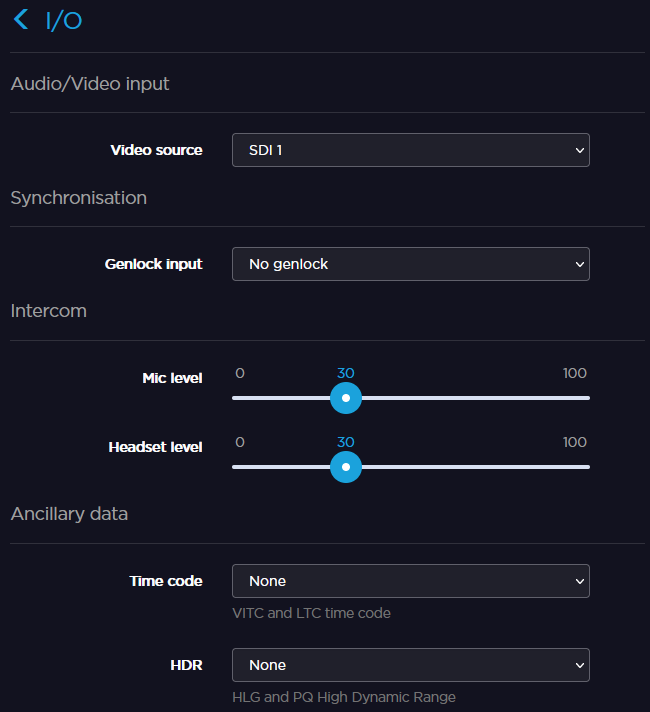
Click Settings > I/O.
Click and drag the Mic level and Headset level sliders to adjust the microphone and headset volumes.