Selecting Automatic Mode

Note
Automatic Mode is the default setting.
To select automatic mode from the Unit Panel, or from the Web Interface, see the sections below.
Unit Panel
From the Home menu, click
 .
.Click
 to scroll down to the modem to be configured.
Click the modem line to enter the MOD. CONFIG menu.
Click
 .
.Click the Operator field.
Click
 to enable Automatic Mode.
Web Interface
From the Home screen, click on a modem line.
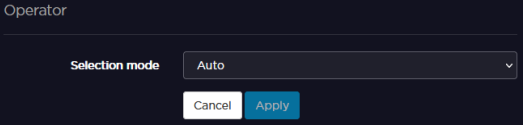
In the Selection mode scrolling list, select Auto.
Click on Apply.