
Restoring Factory Settings
To restore the factory settings from the Unit Panel, or from the Web Interface, see the sections below.
Unit Panel
From the Home menu, tap
 .
.Tap
 and select
  .
.Tap Configuration.
Tap Factory settings.
Tap Yes.
Web Interface
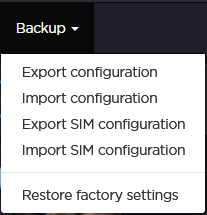
Click Backup > Restore factory settings.
Click Yes to confirm restoration.