
Getting the Unit Information
To get the unit information from the Unit Panel, or from the Web Interface, see the sections below.
Unit Panel
From the Home menu, turn the wheel to select


Turn the wheel to scroll and display the unit's information.
Web Interface
Click the 
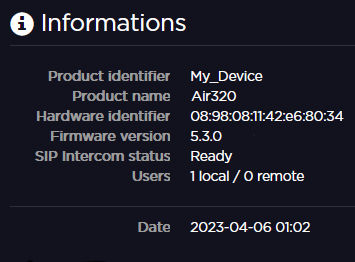
You can access the following unit information:
Product Identifier
Product Name
Hardware ID
Firmware Version
SIP Intercom Status
Ready: The product is registered to a Manager or connected to a StreamHub supporting SIP intercom.
In call: A call is in progress with Manager or a StreamHub.
Users: Number of connected to the web interface
Local: Locally on the LAN (Ethernet or WiFi).
Remote: From a StreamHub (up to 4 users).
Date: Current date and time at the location of the unit.