
Setting the Time Zone
To change the time zone configured on your server:
Access the server's settings menu. (See Accessing the Settings Menu.)
Press the number corresponding to System Settings menu.
Press T on your keyboard to reconfigure the time zone.
When prompted to confirm, press Y to confirm, and then press the Enter key.
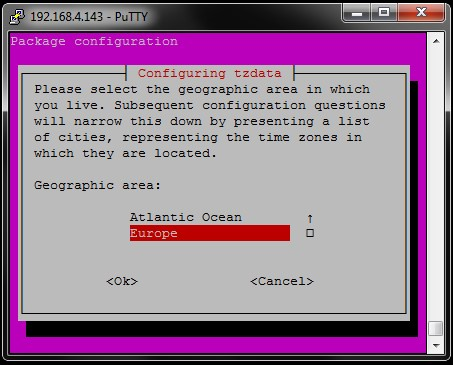
The current time zone is highlighted in red.
Press the up or down arrows on your keyboard to select a geographic area from the list.
Press the right arrow and then the Enter key on your keyboard to confirm <Ok> or to cancel <cancel> the selection.
Repeat steps 5 and 6 mentioned above on the following page to select the city or region.