
Setting an NTP Server
To set an NTP server:
Access the server's settings menu. (See Accessing the Settings Menu.)
Press the number corresponding to System Settings menu.
Press N on your keyboard to set an NTP server.
When prompted to confirm, press Y to confirm or N to cancel. If an NTP server is already configured, it is displayed.
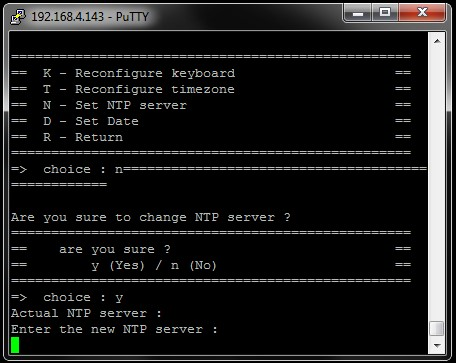
Type the new NTP server address (e.g., ntp.ubuntu.com) or set it blank to erase the NTP server currently set.
Press Enter on your keyboard.