
Reconfiguring the Keyboard
If you want to connect a keyboard directly to the server to access the server's Settings menu without using a computer, you may need to change the default keyboard settings.
To reconfigure the keyboard:
Access the server's settings menu. (See Accessing Settings Menu.)
Press the number corresponding to System Settings menu.
Press K on your keyboard to select a keyboard type from the list.
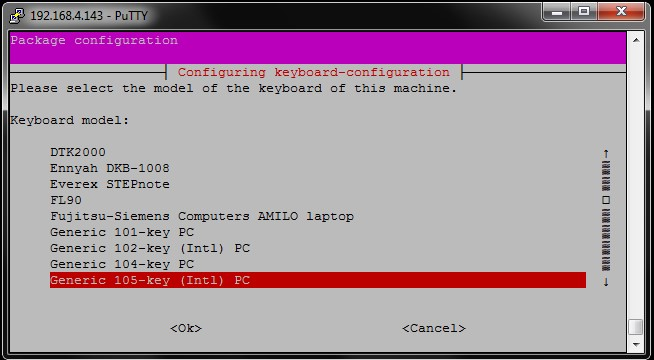
A message prompts you to confirm.
Press Y to confirm or N to cancel. The keyboard currently configured on the server is highlighted in red.
Press the up or down arrows on your keyboard to select a keyboard from the list.
Press the right arrow and then the Enter key on your keyboard to confirm <Ok> or to cancel <cancel> the selection.
On the following 3 pages, follow the same procedure to select the country, the keyboard layout, and the use of the "AltGr" key.
The keyboard is now reconfigured.