
Monitoring the Receivers
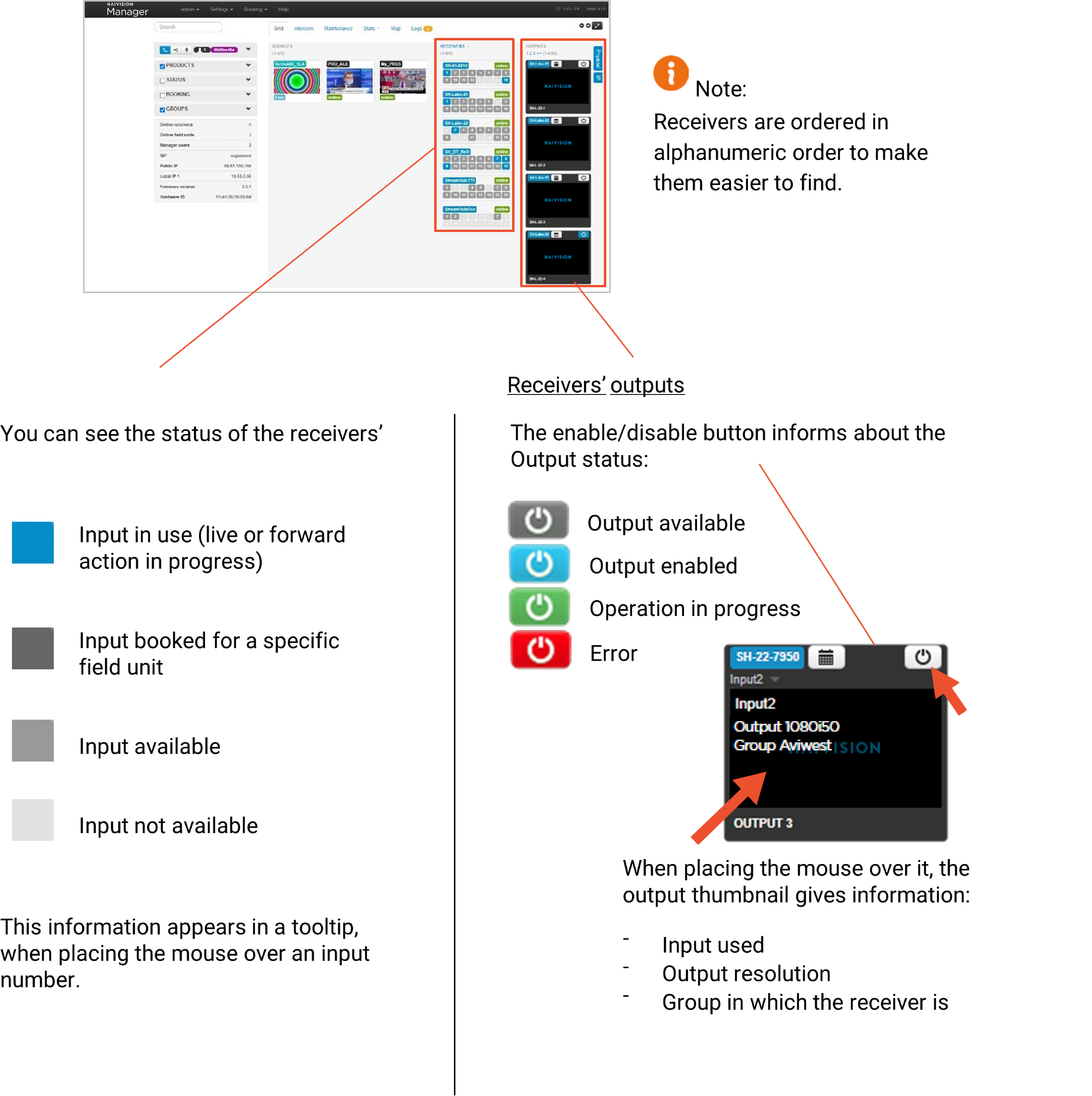
The Maintenance and Grid tabs give 2 different views from which you can monitor the receivers.
The Grid tab
The Maintenance tab
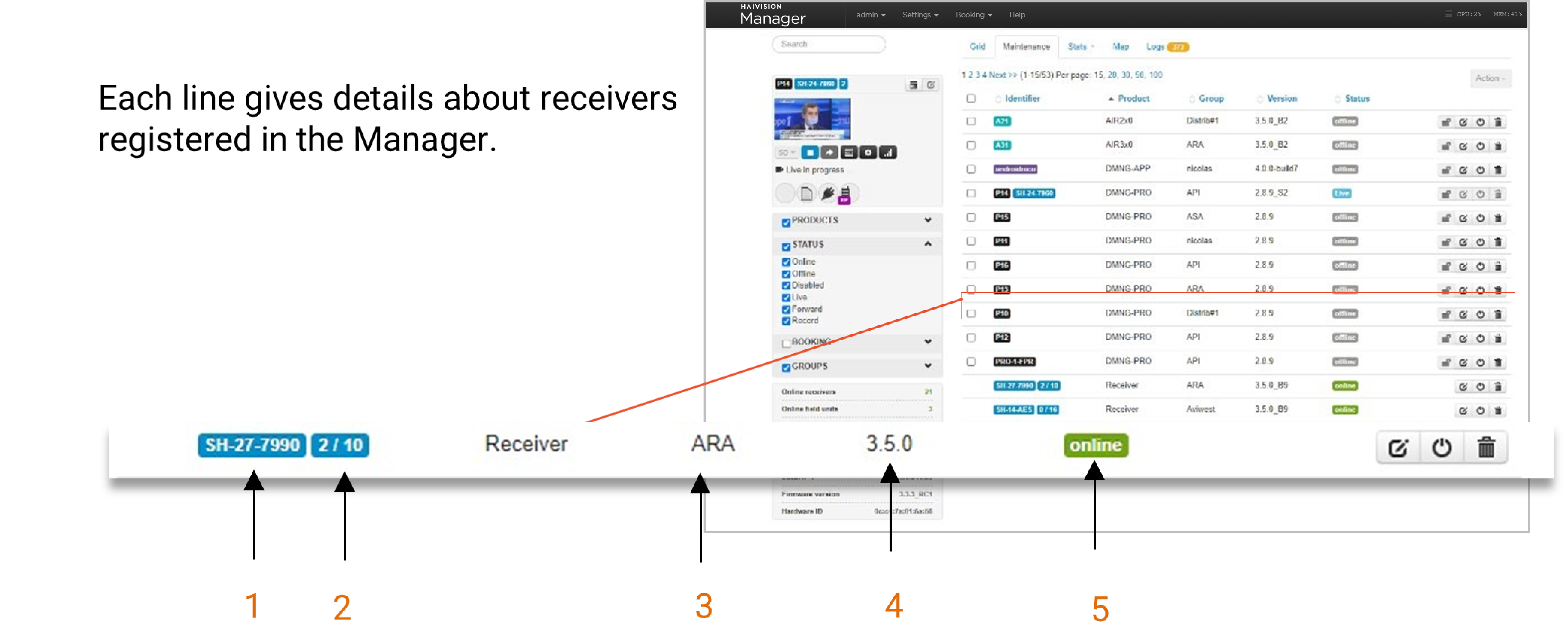
1 | Receiver Name |
2 | Number of used inputs / number of inputs available |
3 | Main group of the receiver |
4 | Receiver Version |
5 | Receiver Status |
The Receiver Panel
From the Grid view or Maintenance view, click on a receiver thumbnail or label to display the Receiver Panel on the left side of the screen.
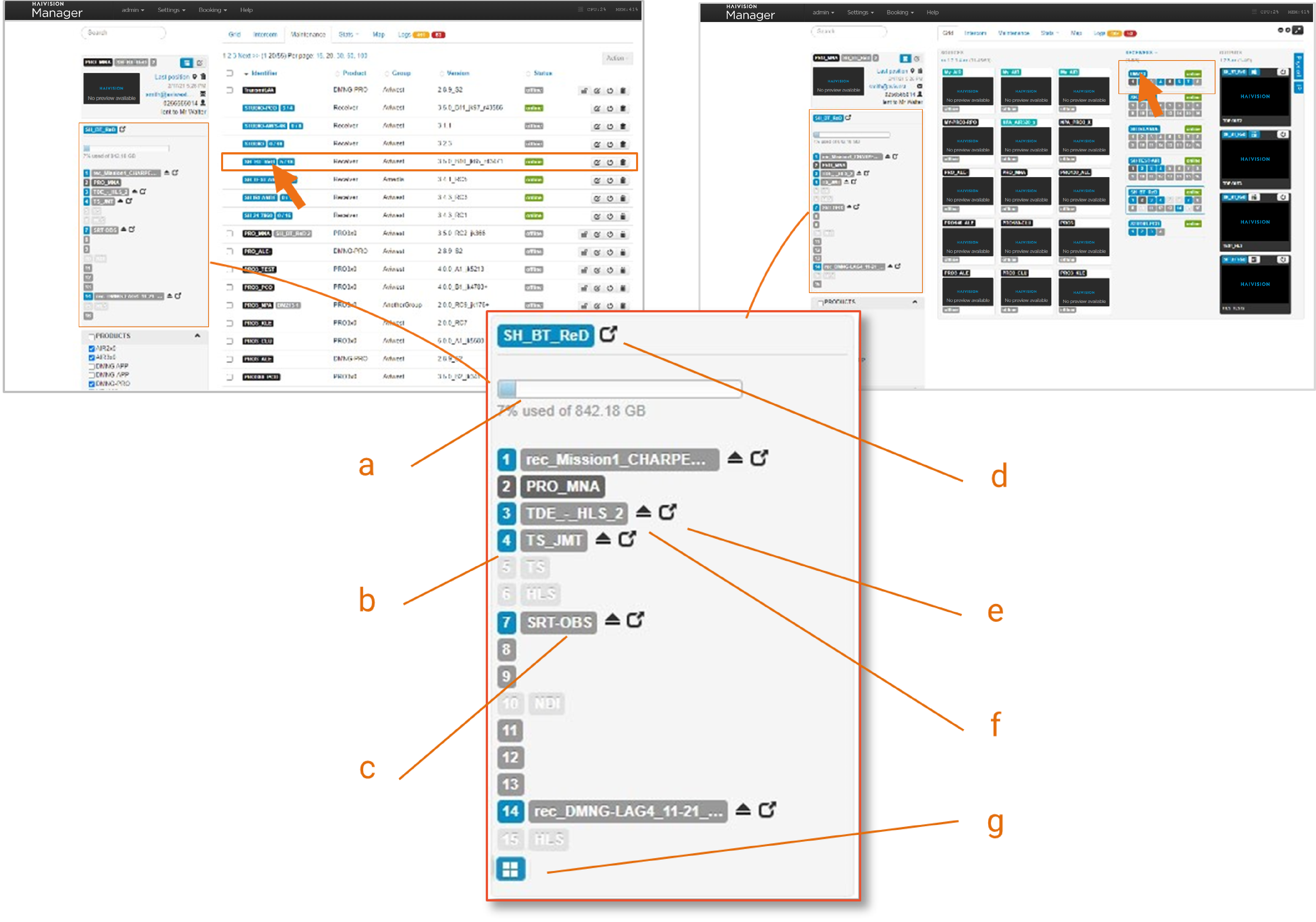
The Receiver Panel provides information about the receiver and the field units connected to it.
a. Used space on the hard disk drive
b. Status of the inputs
| Input / Multiview in use |
| SST input reserved for a specific field unit |
| SST input / Multiview available |
| Input configured for standard IP protocol |


c. The associated label can take different colors:
| Label of the Field Unit for which this input is booked |
| Live IP input (non-SST) in use, or File Playout in use |
| IP protocol (non-SST) configured on this input |
| Field Unit using this input |


d.  Button to access to the receiver webpage.
e. Button to access directly to the input page on the receiver interface
f.  Button to disconnect the field unit.
g.  Multiview status (when included in the Streamhub license)