
Detailed Stream Statistics
To view the detailed stream statistics:
From the Streams page, click the Statistics icon
 on any stream panel.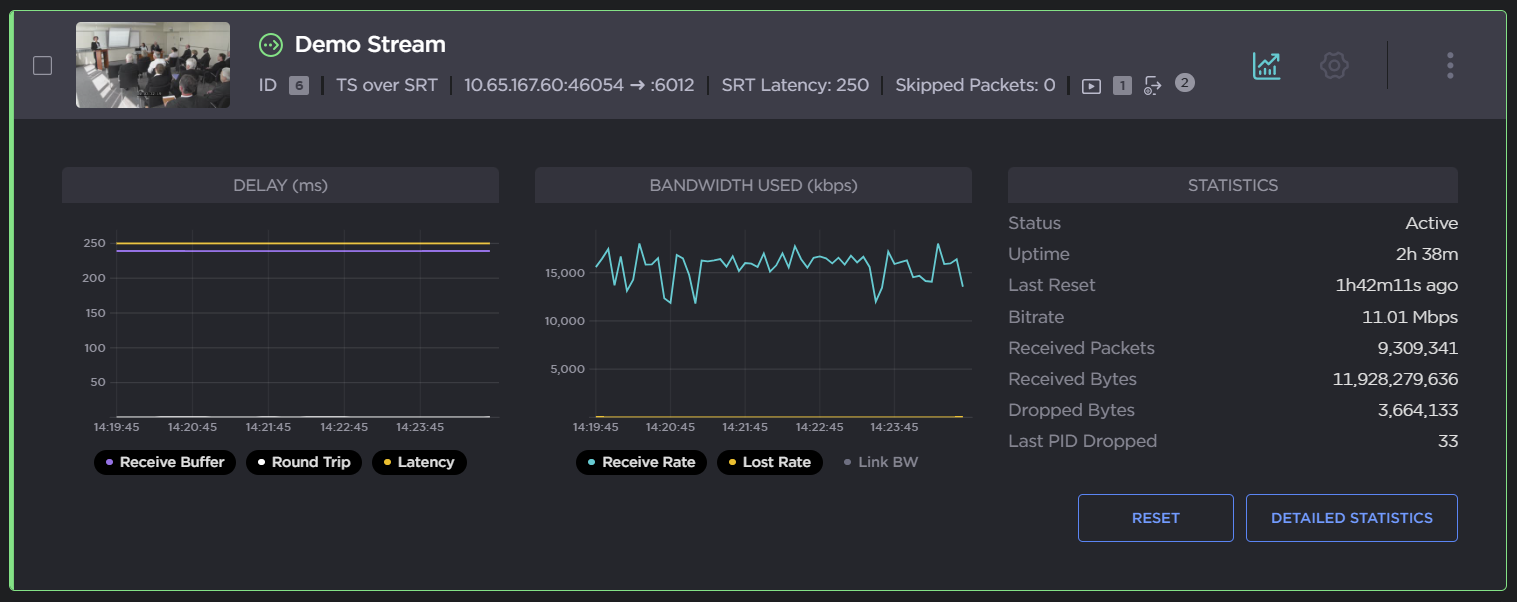
Click the Detailed Statistics button to access the Detailed Statistics page. The page will automatically open to the Stream Statistics.
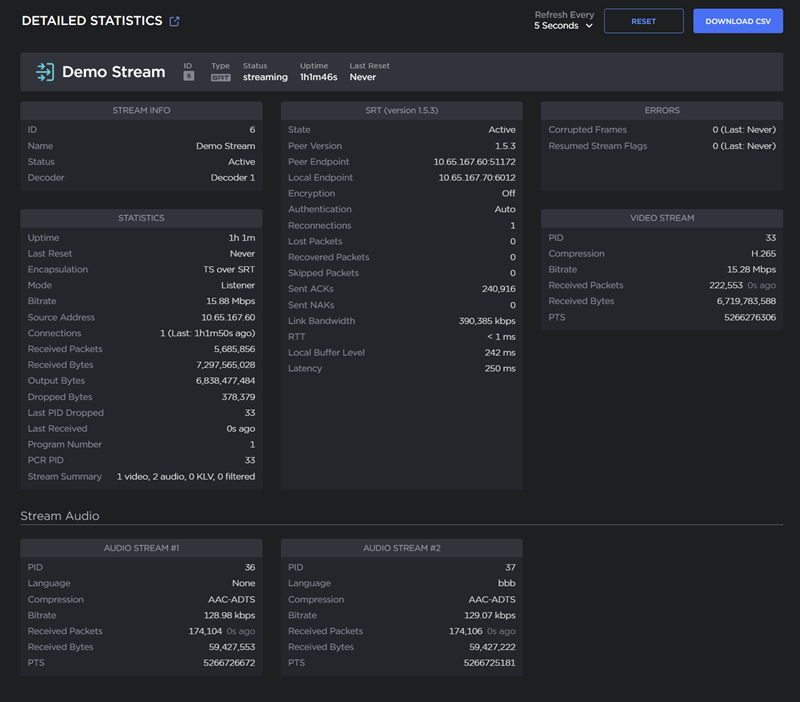
From this page you can:
Click Reset to reset all statistics,
Click Download CSV to download the CSV file,
Set the statistics auto-refresh interval by selecting the number of seconds (5, 30, or 60) from the Refresh dropdown.
To return to the Streams page, scroll to the top of the page and click Back to Streams.