
Connect the Kraken
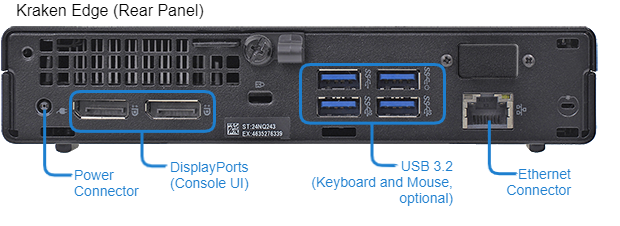
To connect to the unit via the Web interface or SSH:
Connect an RJ45 Ethernet cable (CAT5) cable to the RJ45 connector on the Kraken Edge rear panel.
Connect the other end of the cable to the network.
To directly connect to the Kraken CR console UI:
Connect the DisplayPort to a monitor. Use an HDMI or DVI adapter, if required.
Connect a mouse and keyboard to the USB ports.
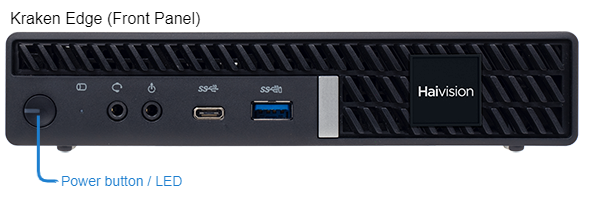
Plug the DC connector into the power connector at the rear of the unit.
Plug the power cord into the AC adapter.
Plug the cord into a grounded AC power source. (Refer to Caution under Physical Installation.)
Power LED Indications | |
|---|---|
GREEN | Kraken Edge is On. |
OFF | Kraken Edge is Off. |
Power Button Usage | |
Soft Shutdown | Depress Power button. |
Hard Shutdown | Depress Power button and hold for 4 seconds. |