
Configuring Metadata Parameters
To configure the parameters on an existing Metadata source:
From the Metadata List view, click the parameters icon
 on any metadata source.
 On the Metadata Detail View, type in the source Name and select the Input Method, either Serial, HD-SDI (Video Source), or Network (UDP).
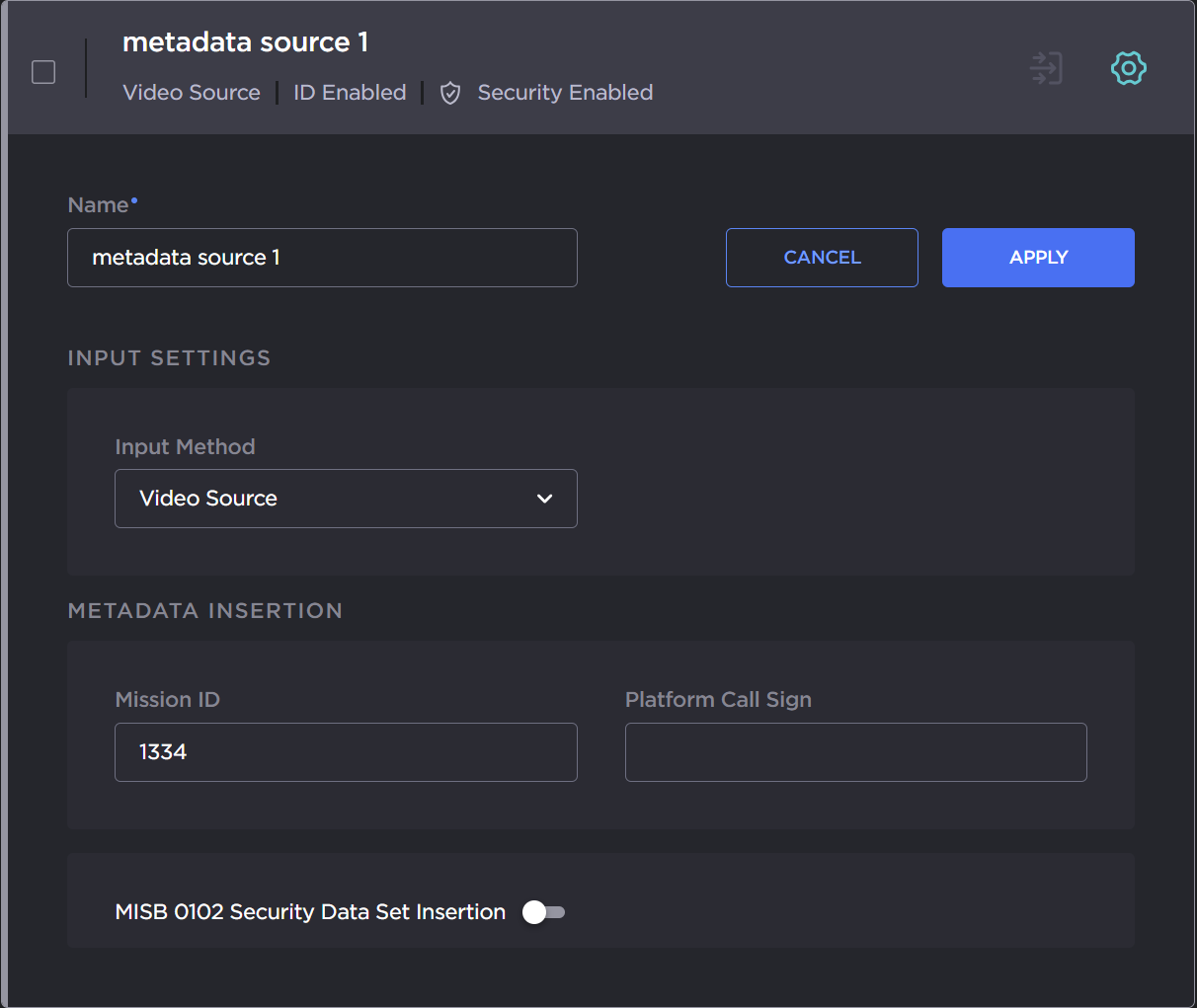
Depending on the Input Method selected, configure the remaining parameters, as below:
To capture CoT or KLV metadata from the serial port:
Select Serial Input for the Input Method, as shown in the following example.
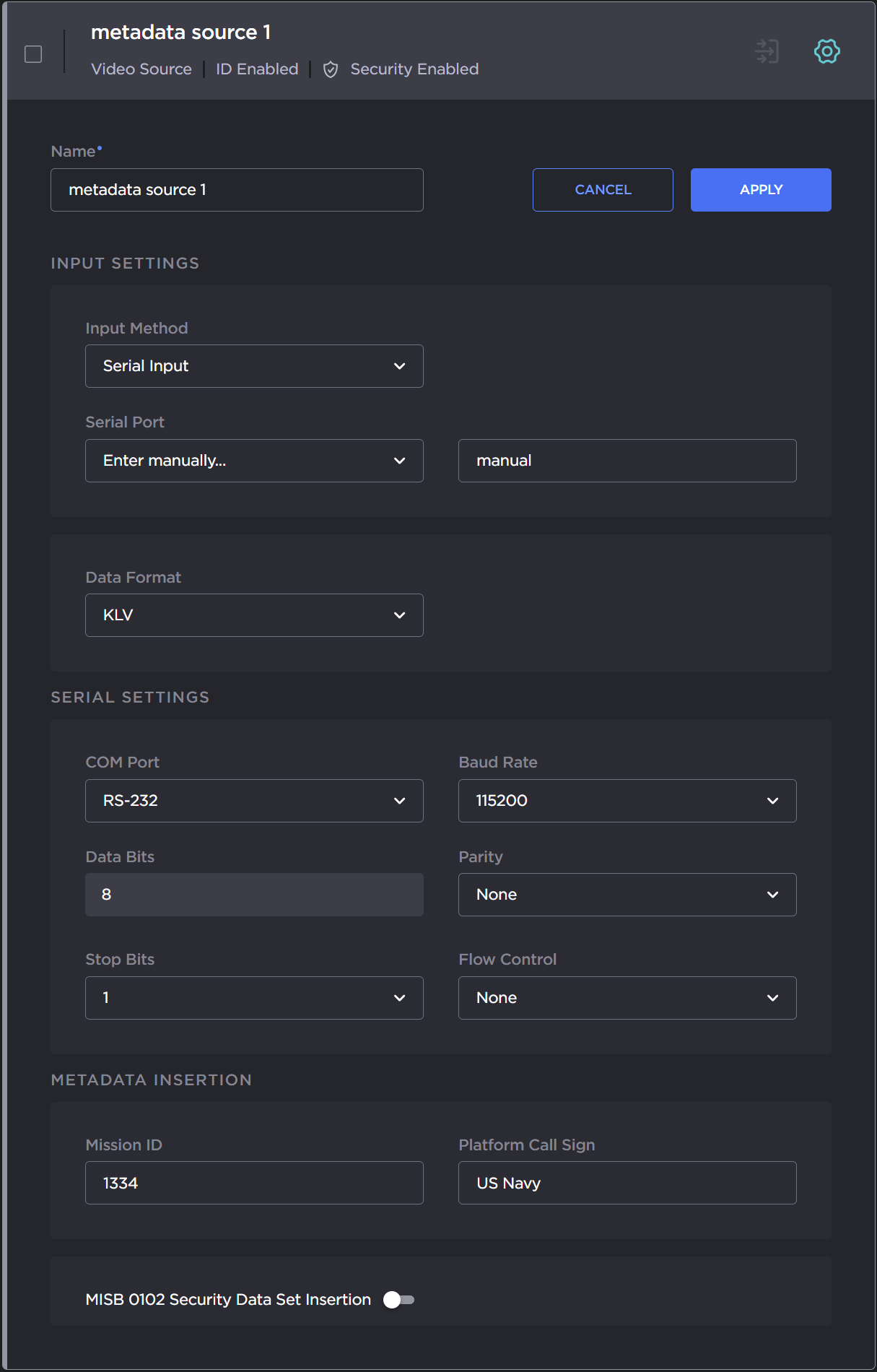
Select the serial port from the drop-down list.
If CoT has been installed, select CoT for the Data Format (under Input Settings) and fill in the Max AirCraft-SPI Delta and SPI UID fields.
If required, adjust the Serial settings.
(Optional) For CoT sources, you can configure CoT Relaying to retransmit CoT sources to other IP destinations for analysis and archiving. See Configuring CoT Retransmission.
(Optional) To define a set of static KLV objects (i.e., Mission IDs and Security Classification) to be used to replace erroneous or insert missing metadata within outbound TS steams, see Configuring KLV Metadata Insertion.
To apply your changes, click Apply.
The new source is added to the Metadata List.
To configure a network input:
Select Network (UDP) for the Input Method, as shown in the following example.
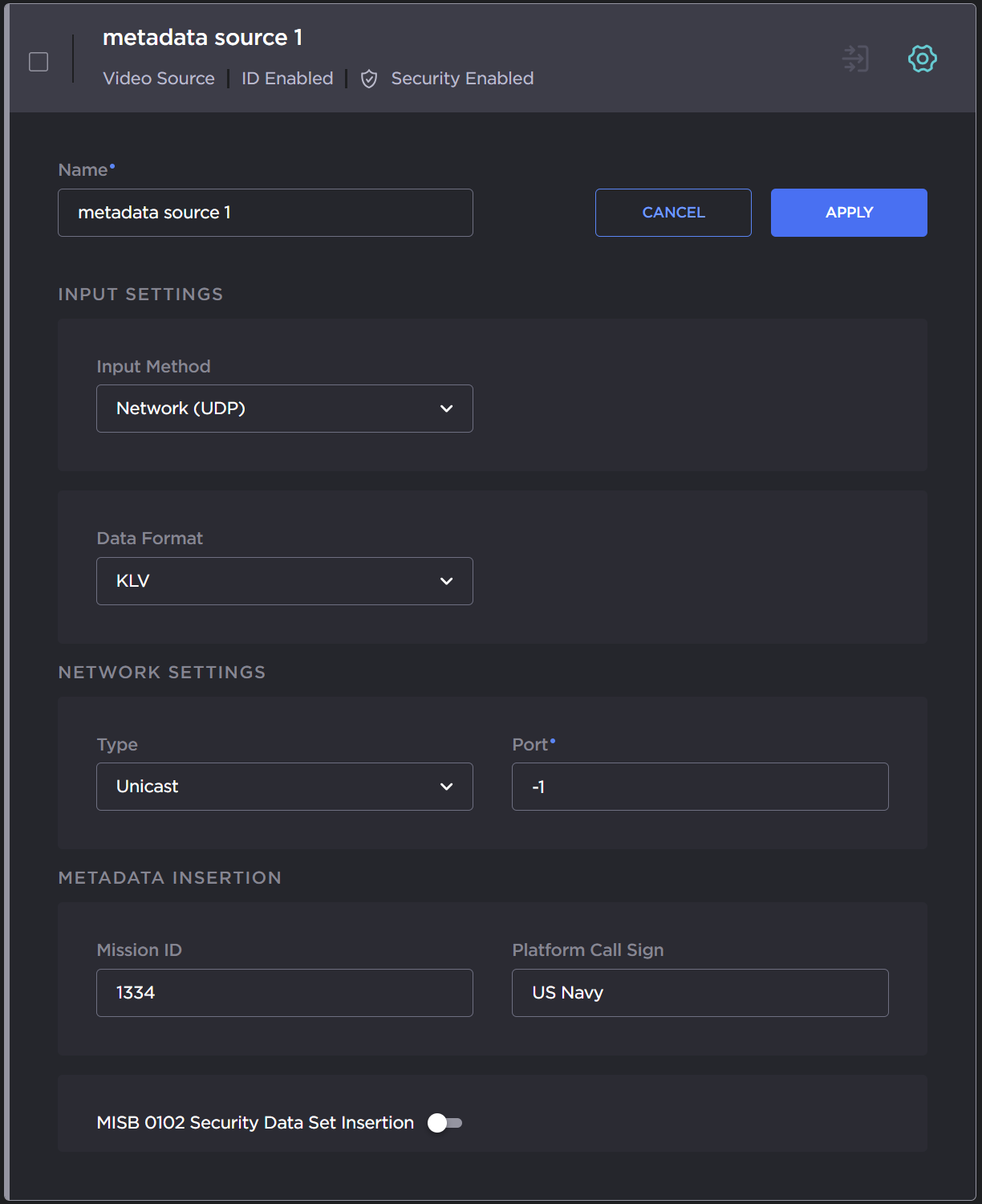
If CoT has been installed, select CoT for the Data Format (under Input Settings) and fill in the Max AirCraft-SPI Delta and SPI UID.
If required, under Network Settings, select Multicast for the type and fill in the multicast address and port.
(Optional) For CoT sources, you can configure CoT Relaying to retransmit CoT sources to other IP destinations for analysis and archiving. See Configuring CoT Retransmission.
(Optional) To define a set of static KLV objects (i.e., Mission IDs and Security Classification) to be used to replace erroneous or insert missing metadata within outbound TS steams, see Configuring KLV Metadata Insertion.
To apply your changes, click Apply.
The new source is added to the Metadata List.