
Creating a Channel
To create a channel:
In the AMSE tool, navigate to the Live tab.
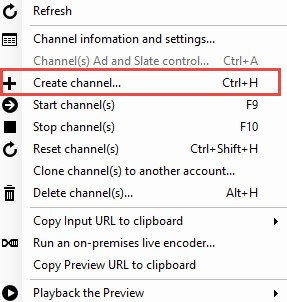
Right click within the channel area. Select Create channel… from the menu.
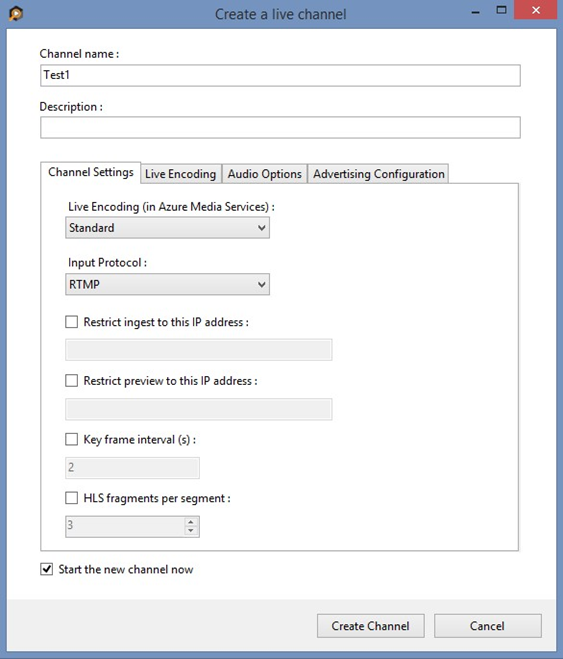
In the Create a Live Channel window, specify a channel name. The description field is optional.
On the Channel Settings tab, set the Live Encoding drop-down to Standard and the Input Protocol drop-down to RTMP. You can leave the other Channel Settings as-is.
Make sure the Start the new channel now box is checked.
Click the Create Channel button.

Note
The channel can take as long as 20 minutes to start. While the channel is starting, you can configure the Haivision KB encoder.

Important
Billing starts as soon as the channel goes into a "ready" state. For more information, see Channel's states.