
Create a Program
After channel playback is confirmed, create a program.
To create a program:
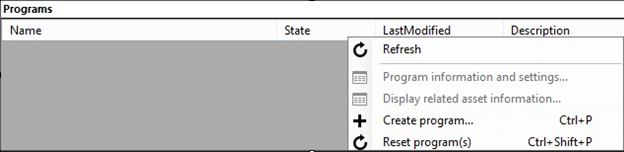
Under the Live tab in the AMSE tool, right click within the program area and select Create New Program.
Name the program and, if needed, adjust the Archive Window Length (which defaults to 4 hours). You can also specify the storage location or leave it as the default.
Check the Start the Program Now box.
Click Create Program.

Note
Program creation takes less time than channel creation.
Once the program is running, confirm playback by right-clicking the program and navigating to "Playback the program(s)" and then selecting the Azure Media Player.
Once confirmed, right-click the program again and select Copy the Output URL to Clipboard (or retrieve this information from the Program Information and Settings option from the menu).
The stream is now ready to be embedded in a player, or distributed to an audience for live viewing.