
Editing Appliance Settings
To edit appliance settings:
Click Appliances on the sidebar.
Click the
 icon next to the appliance you wish to edit.
Depending on the type of appliance selected, different settings are available:
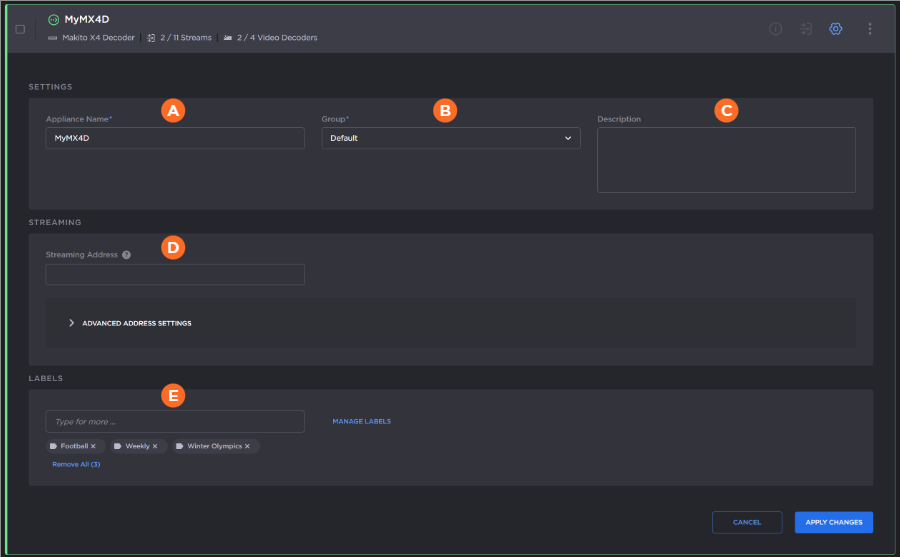
Editable settings for Makito appliances are:
| Appliance Name | |
| Group | |
| Description | |
| Streaming Address | (Makito Decoders only) Specifies a custom address or domain name for video streams instead of the existing appliance address. This address or domain will be used by Hub 360 to create video routes and transmissions to this Makito Decoder.
Tip Expand the Advanced Address Settings section to specify a specific streaming address per video decoder core, as well as port number. 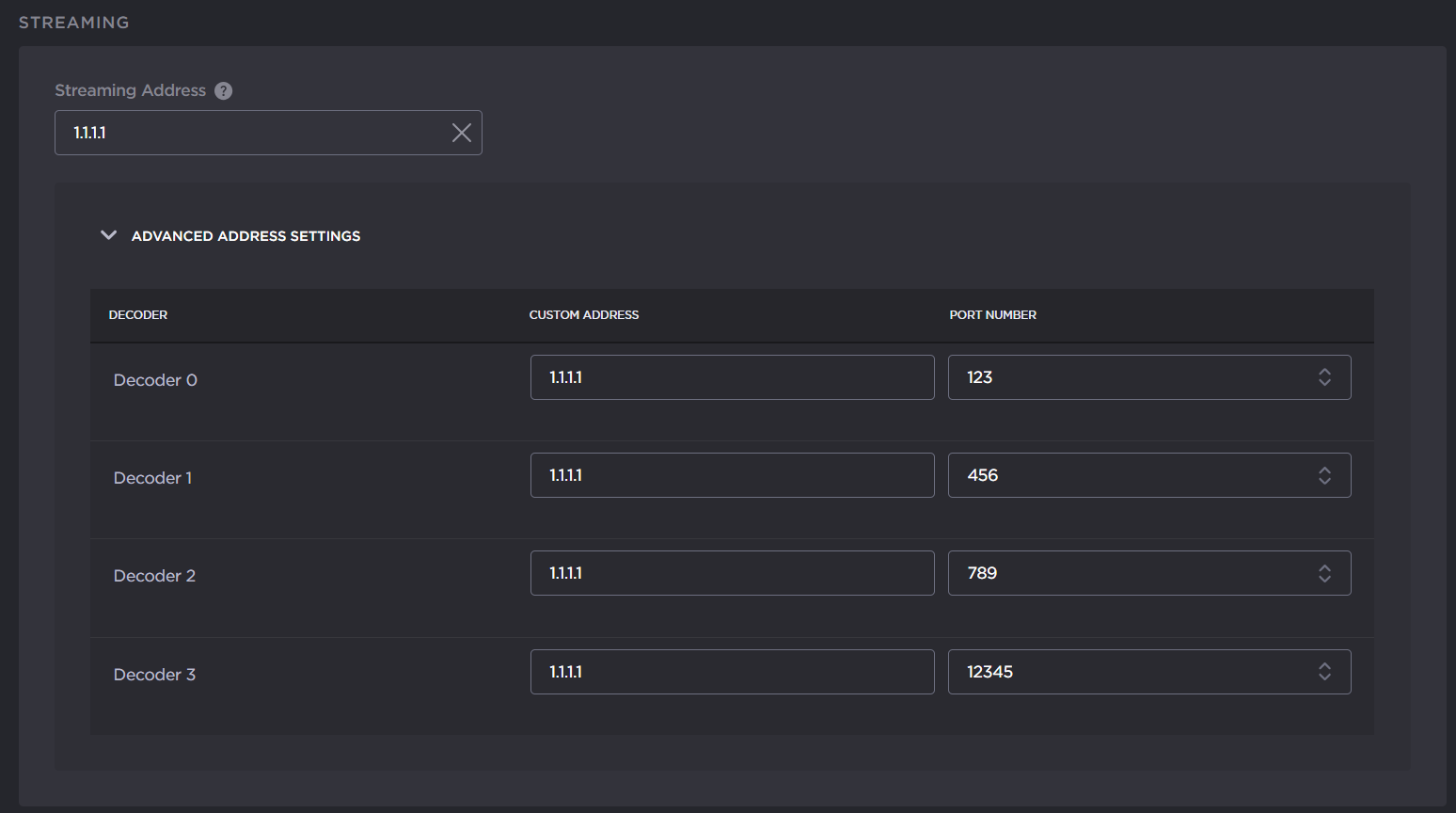 Streaming Address Port per Core |
| Labels | Allows you to attach labels to your appliance for easier filtering of the appliance list. See Managing Appliance Labels for details on creating and editing labels and applying labels to an appliance. |


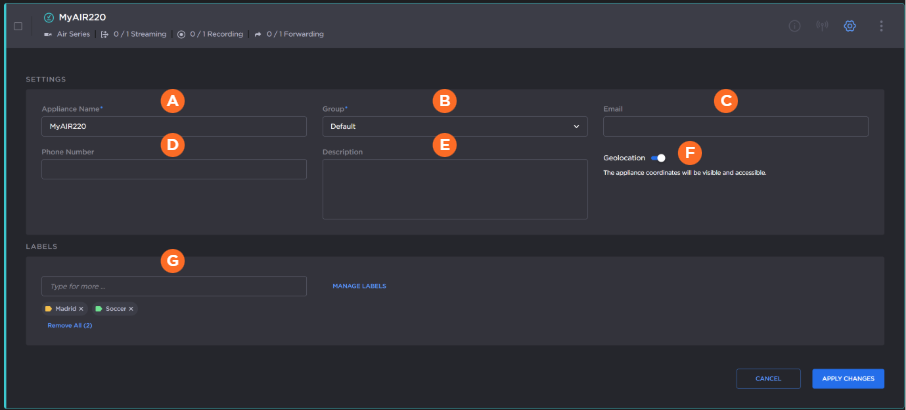
Editable settings for Pro, Air, Rack, Falkon X2, and MoJoPro appliances are:
| Appliance Name | |
| Group | |
| ||
| Phone Number | |
| Description | |
| Geolocation enable toggle | (Air, Pro, Falkon X2, and MoJoPro devices only) Allows you to activate or deactivate the gathering of latitude/longitude location of your transmitter. (May also be enabled/disabled globally by your administrator. See Editing Organization Settings.) |
| Labels | Allows you to attach labels to your appliance for easier filtering of the appliance list. See Managing Appliance Labels for details on creating and editing labels and applying labels to an appliance. |


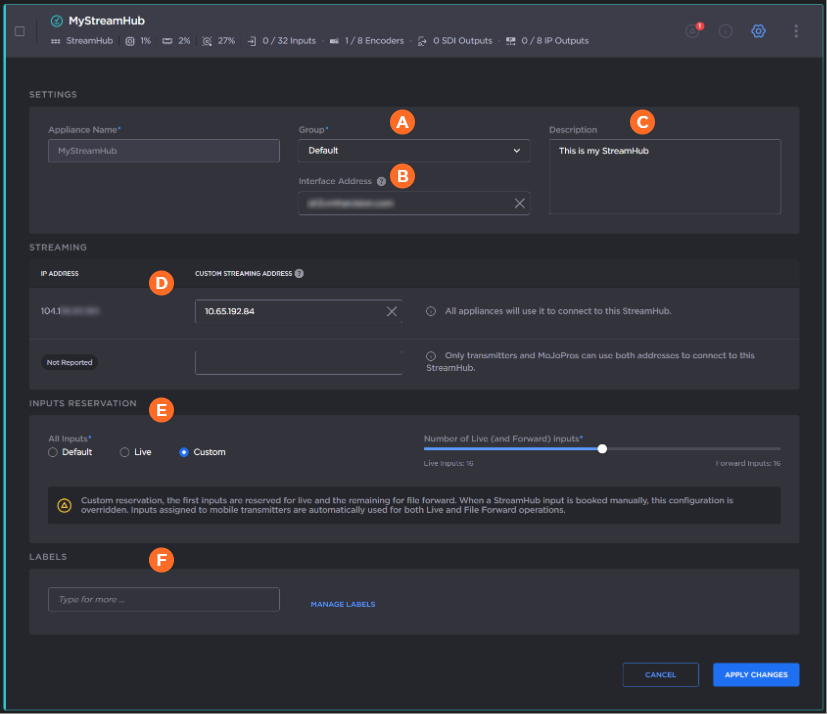
Editable settings for StreamHub are:
| Group | |
| Interface Address | Specifies a custom address or domain name for appliance interface access. This address or domain will be used when accessing the appliance interface via Hub 360. |
| Description | |
| Custom Streaming Addresses | Specifies custom addresses or domain names for video streams instead of the existing appliance address. These addresses or domains will be used by Hub 360 to create video routes and transmissions to this StreamHub. This allows you to:
Note The reported StreamHub address in the IP Address column is currently not reported. However, the second address feature still works correctly for connected transmitters and MoJoPro devices. A new StreamHub firmware will be released in the future to report this second IP address to Hub 360. |
| Inputs Reservation | Allows you to designate StreamHub inputs for Live and File Forward. See Reserving StreamHub Inputs for Live or File Forward Bookings for more information. |
| Labels | Allows you to attach labels to your appliance for easier filtering of the appliance list. See Managing Appliance Labels for details on creating and editing labels and applying labels to an appliance. |

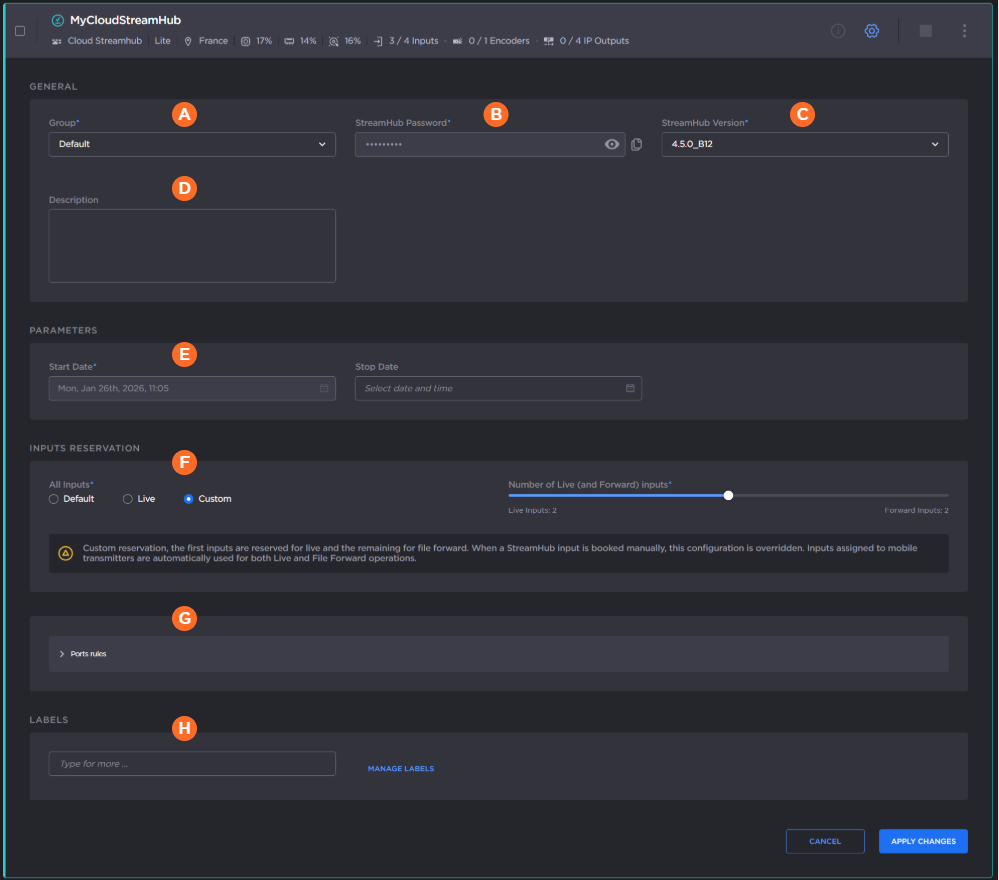
Editable settings for Cloud StreamHub are:
| Group | |
| StreamHub Password | (Not editable) Click the |
| StreamHub Version | From the dropdown you may select which software version to use. |
| Description | |
| Start Date and Stop Date | Start date indicates when the Cloud StreamHub was provisioned. Select a stop date to automatically deprovision the Cloud StreamHub. Tip We recommend setting a stop date to avoid unnecessary charges to your account. |
| Inputs Reservation | Allows you to designate StreamHub inputs for Live and File Forward. See Reserving StreamHub Inputs for Live or File Forward Bookings for more information. |
| Ports rules | Expand the section to view or edit the existing network port configuration for your Cloud StreamHub. 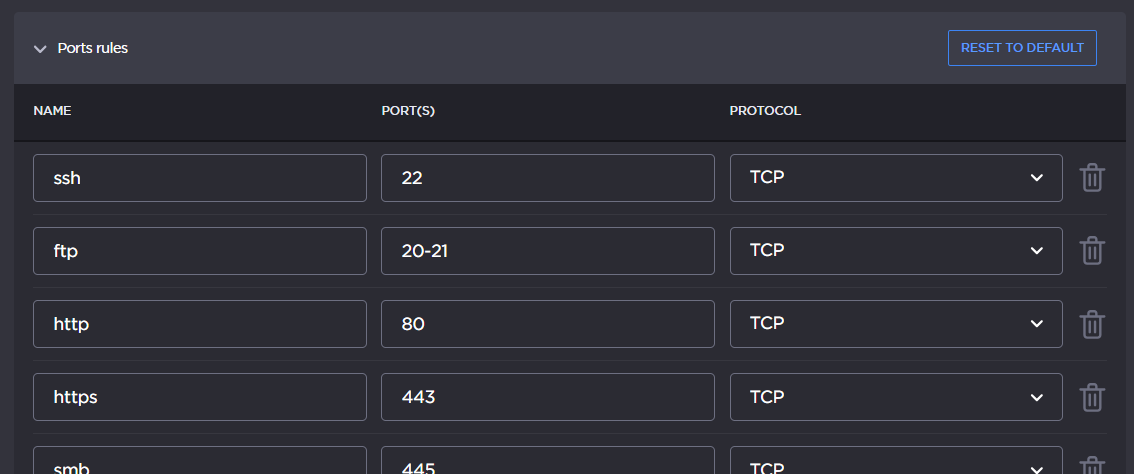 |
| Labels | Allows you to attach labels to your appliance for easier filtering of the appliance list. See Managing Appliance Labels for details on creating and editing labels and applying labels to an appliance. |


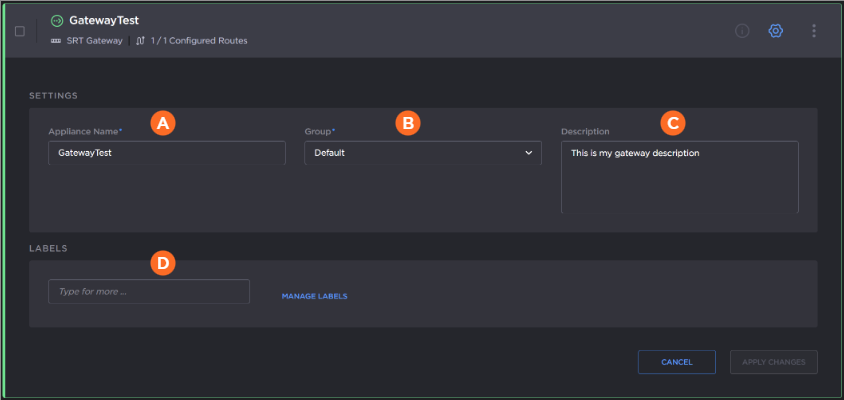
Editable settings for SRT Gateway are:
| Appliance Name | |
| Group | |
| Description | |
| Labels | Allows you to attach labels to your appliance for easier filtering of the appliance list. See Managing Appliance Labels for details on creating and editing labels and applying labels to an appliance. |
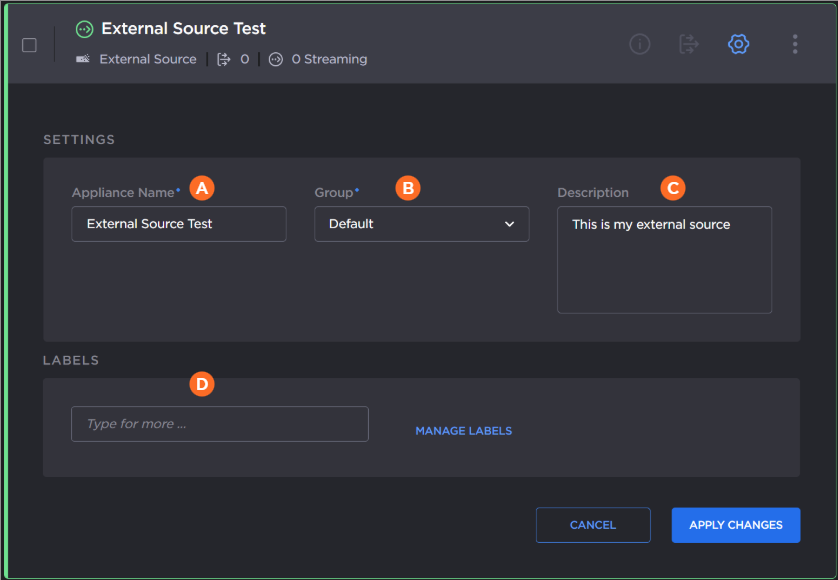
Editable settings for the external source and destination are:
| Appliance Name | |
| Group | |
| Description | |
| Labels | Allows you to attach labels to your appliance for easier filtering of the appliance list. See Managing Appliance Labels for details on creating and editing labels and applying labels to an appliance. |
Edit the settings as desired.
Click the Apply Changes button.