
Importing and Activating a Certificate (CRT)
To import and activate a Certificate (CRT):
On the Certificates pane, click Import. The Import Certificate or Private Key dialog appears.
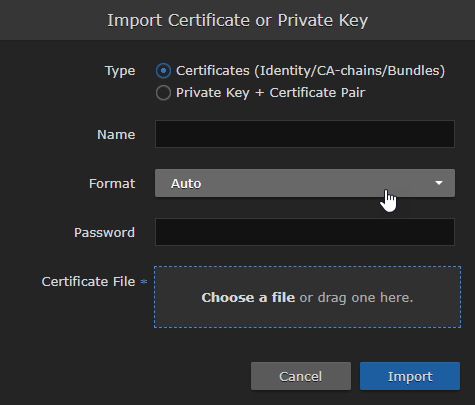
Import Certificate or Private Key Dialog
Ensure Certificates (Identity/CA-chains/Bundles) is selected as Type.
Enter the certificate name and remaining fields. See Certificate Settings for details.
If your certificate is encrypted, enter the password.
Drag a CA-signed certificate (CRT) to the drop area or click Choose a file and select the certificate.
Click Import.
On the Certificates pane, the newly imported certificate is added to the list and should have a green status LED.In the row for the imported certificate, click in the Active column to activate the certificate.
Click Reboot and click Confirm if you have changed the active certificate.
A dialog appears informing you when the reboot is complete.