Starting, Stopping, Duplicating, and Deleting a Route
To start, stop, duplicate, or delete a route:
In the sidebar, click
 Streaming.
In the Routes tab, locate the desired route.
To start/stop the route, click the
 Start
Start  or
or  Stop
Stop  icon in the route listing.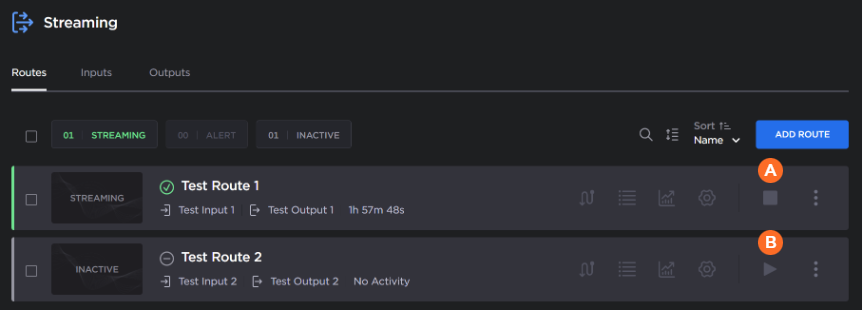
To duplicate or delete the route, click the
 icon and click
  Duplicate or
  Delete.
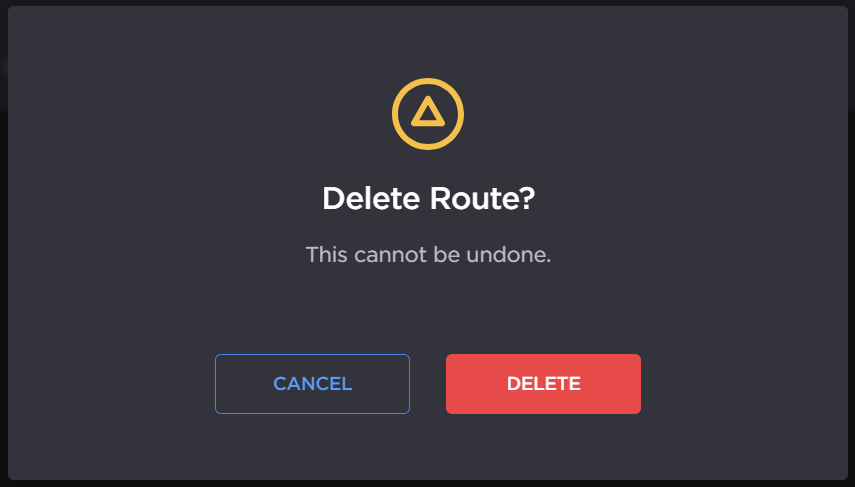
When deleting a route a confirmation dialog appears. Click the Delete button to confirm.

Tip
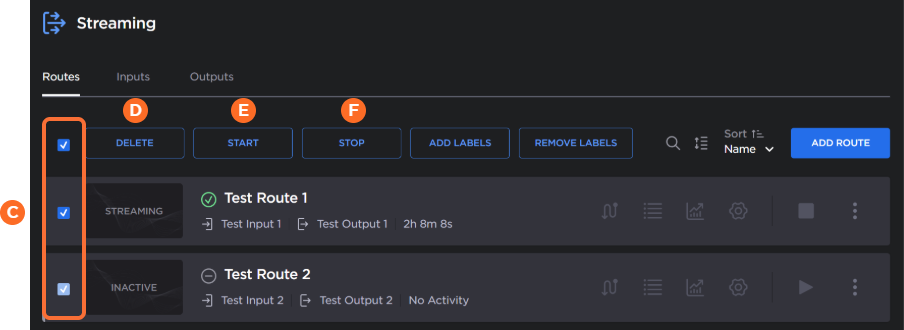
You can also stop, start, or delete multiple routes at the same time by using the checkboxes  . Check the checkboxes next to the routes you wish to start, stop, or delete, and click the Delete
  , Start
  , or Stop
  button.