
Configuring Security Policies
When setting up Media Gateway/SRT Gateway, you may configure additional security settings. Changing any of these settings requires a reboot.
Available settings include TLS protocol version support, SSL ciphers, and enabling HTTP Strict Transport Security (HSTS) support.
Available TLS (Transport Layer Security) versions accepted: TLS v1.2 and TLS v1.3.
Available SSL Ciphers include various AES encryption ciphers.
To configure appliance security:
In the bottom of the sidebar, click
 >
>  Security.
Click Policies in the navigation toolbar.
To enable/disable TLS versions use the TLS version toggles.

To add SSL ciphers, under SSL Ciphers click into the textbox and select the desired cipher. To remove a cipher click the
 icon for each added cipher below the textbox.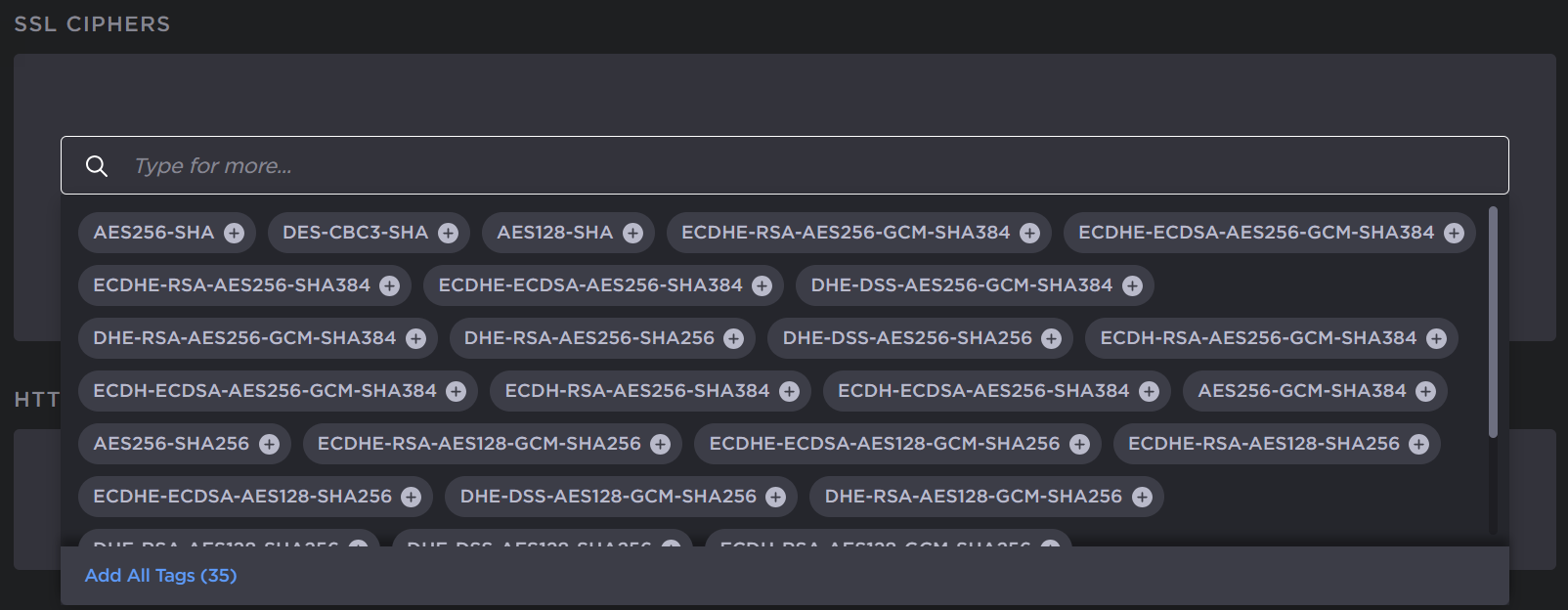
To enable HSTS, toggle the Strict Transport Security button to On.
Click the Apply button.
A reboot is required for the settings to take effect. In the sidebar click,
>  Reboot.