
Importing and Activating a Certificate (CRT)
To import and activate a Certificate (CRT):
In the side menu, click System Settings.
On the Certificates pane, click Import.
On the Generate Certificate or Private Key dialog, keep the default Type: Certificates (Identity/CA-chains/Bundles).
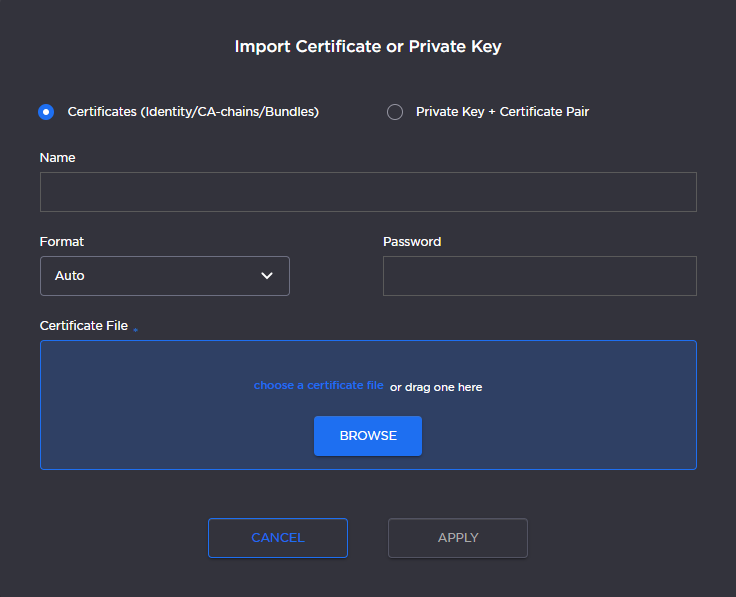
Import Certificate Dialog
Type in the certificate name and fill in the remaining fields. See Certificate Settings.
If your certificate is encrypted, type in the password.
Drag and drop or click Browse and select the CA-signed certificate (.crt extension) returned from the certificate request generated in the previous section.
Click Apply. On the Certificates page, the newly imported certificate will be added to the list and should have a green status LED. Click in the Active column to activate the certificate.
Click Reboot if you have changed the active certificate.