
Configuring Appliance Network Settings
To configure appliance network settings:
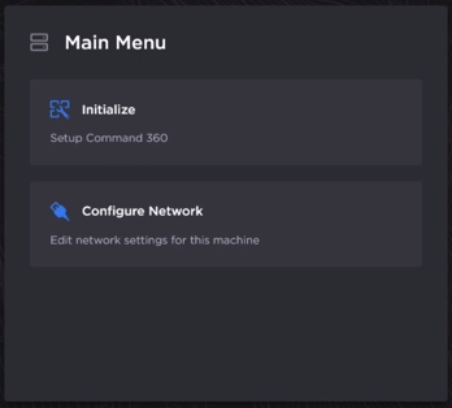
On the main menu, click Configure Network.
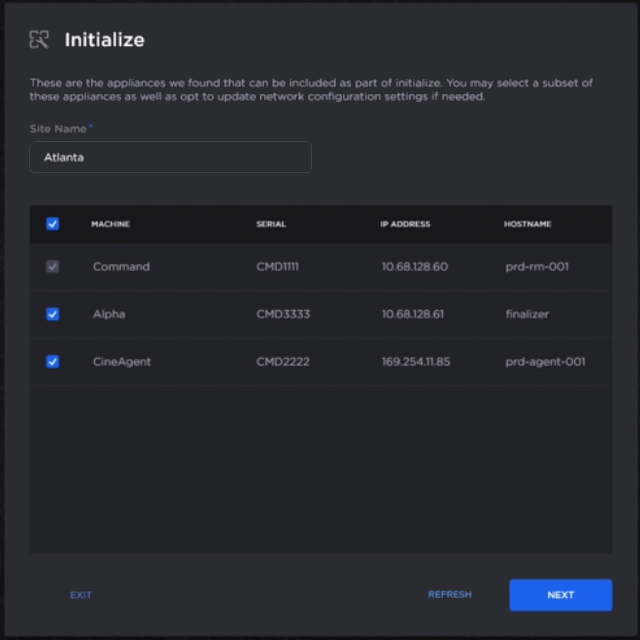
Enter a Site Name.
Select each appliance that should be included in the Initialize process.

Tip
If the appliances you wish to initialize do not appear in the list at first, click Refresh to search again.
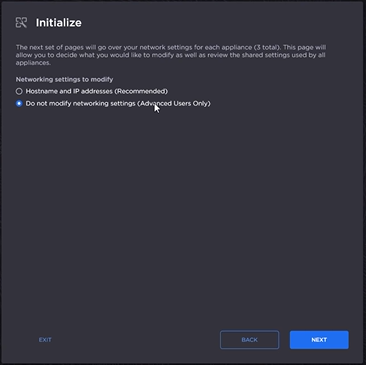
Click Next.
Under "Network settings to modify," select either Hostnames and IP Addresses (Recommended) or Do not modify networking settings (Advanced Users Only).
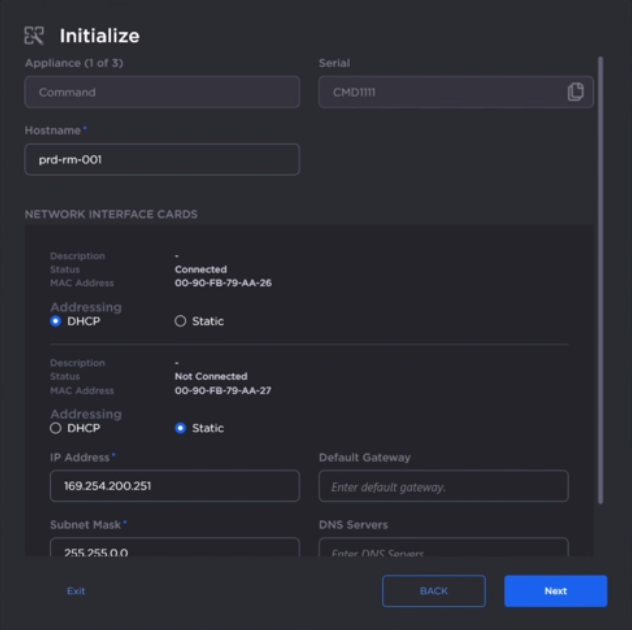
Enter a Hostname.

Note
After the system is initialized, the hostname cannot be changed without a factory reset.
Select the Addressing mode for the network interface cards: either DHCP or Static.
For cards with Static selected, enter an IP Address and Subnet Mask.
Click Next.
Continue the Initialize process by Creating an Initial User.