
Setting the Bootstrapper to Start Manually
HaivisionBootstrapper must be set to start manually so it will prevent services from restarting after a reboot.
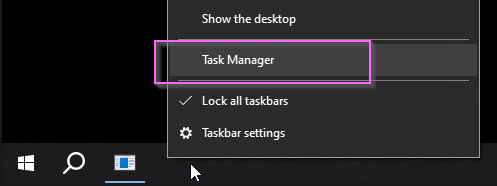
Open Task Manager.
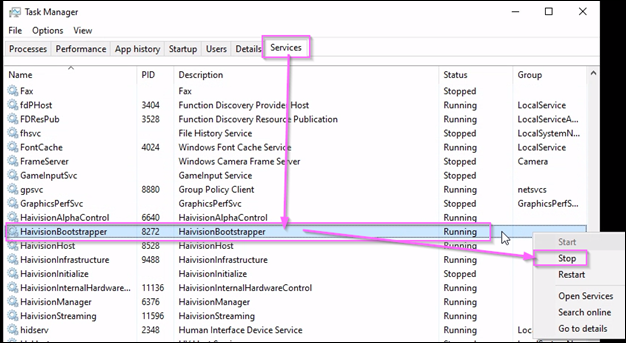
Click the Services tab.
Right click HaivisionBootstrapper and click Stop.
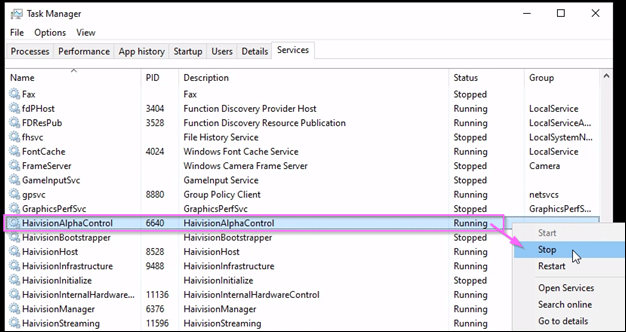
Right click HaivisionAlphaControl and click Stop.
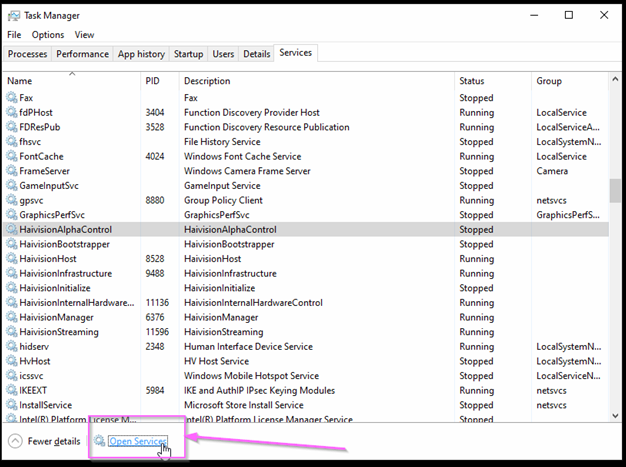
Click Open Services.
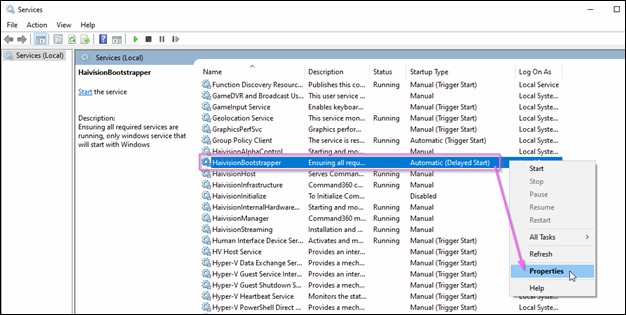
Right click HaivisionBootstrapper and select Properties.
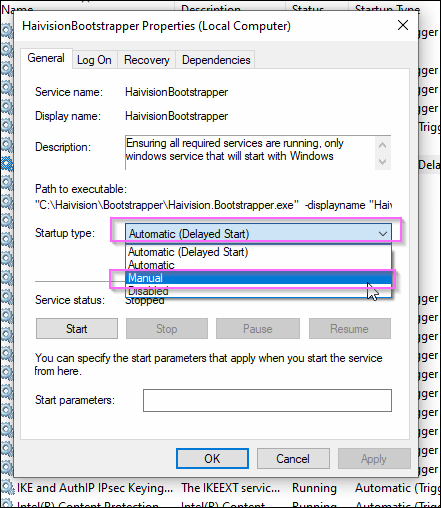
On the General tab, click the Startup type drop-down and select Manual.
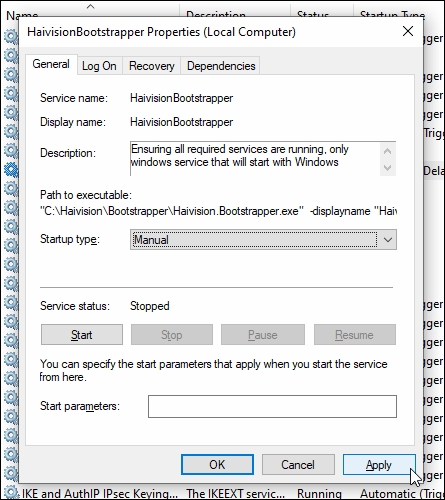
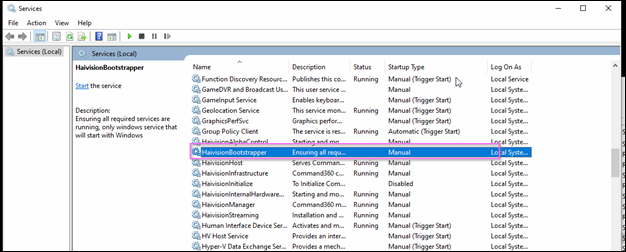
Click Apply, then OK.
Continue to Uninstalling the Old IPX Driver.