
Editing a CineLink
After adding a CineLink, the name, location and network settings can be edited.
To edit a CineLink:
Click the user icon in the top right corner and select Admin.
On the side menu, click CineLinks.
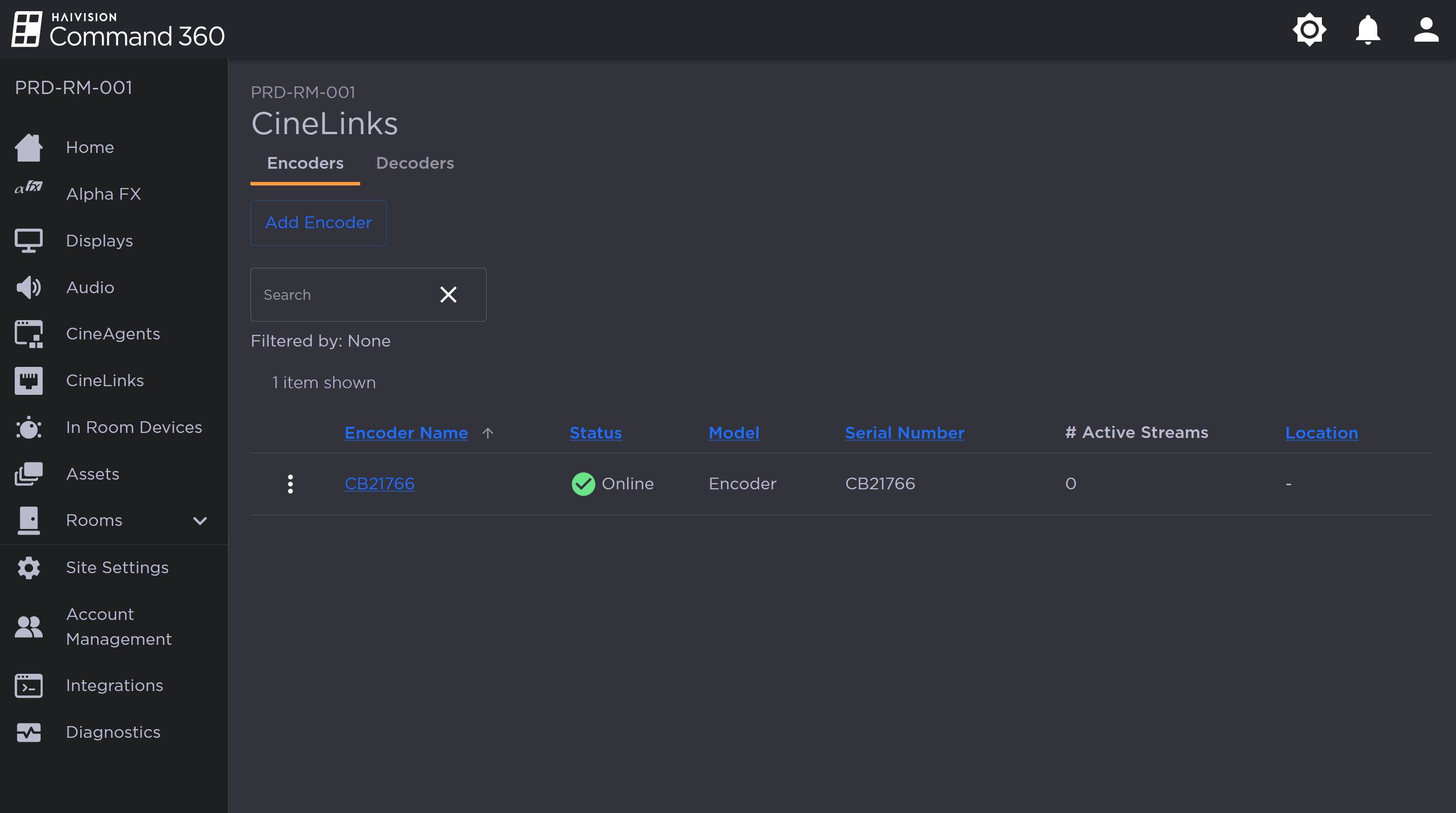
CineLinks Management Page
Click the
 icon to the left of a CineLink in the summary list and select Edit CineLink.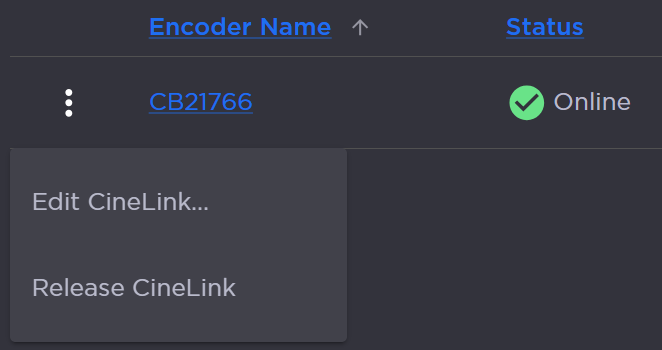
CineLink Encoder Options
Enter a new CineLink Encoder Name or Location.
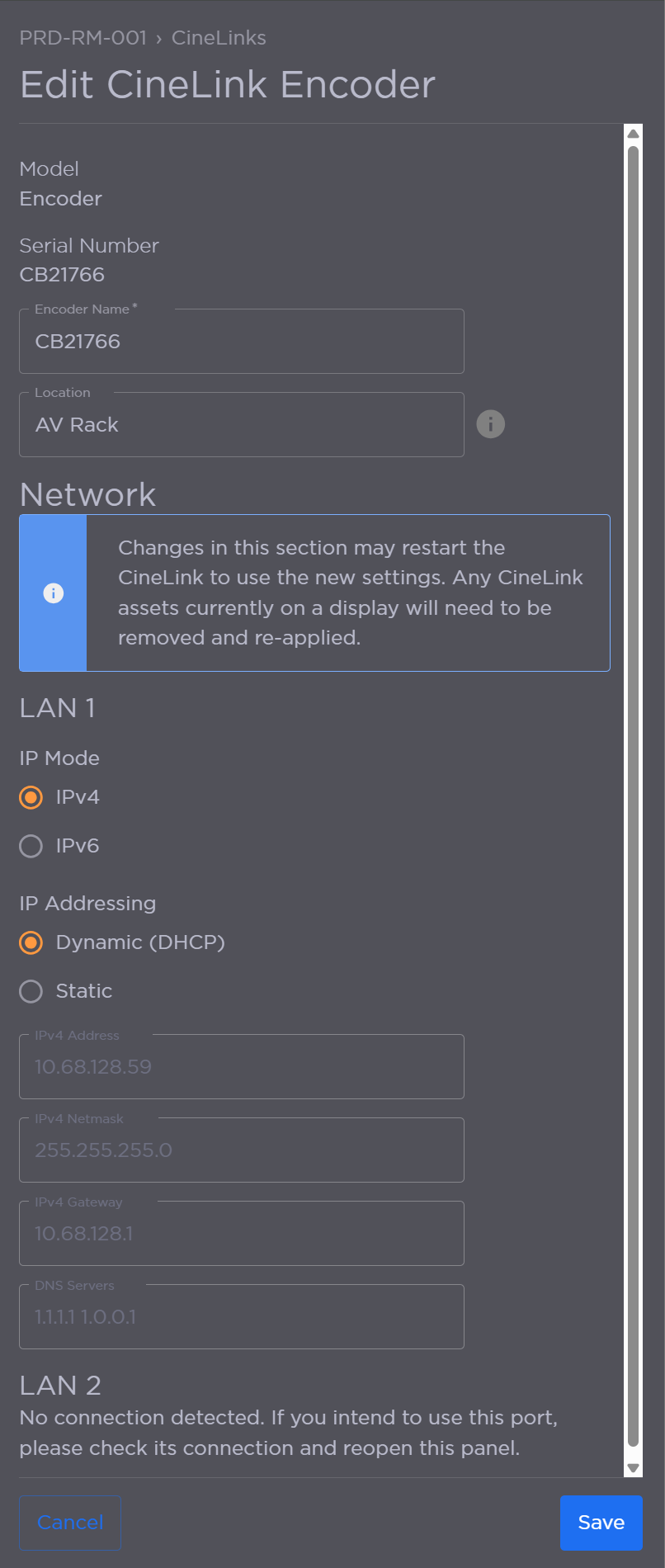
Editing CineLink Properties
Configure LAN 1 settings:
Set the IP Mode to IPv4 or IPv6.
Set IP Addressing to Dynamic (DHCP) or Static.
If set to Static, configure Address, Netmask, Gateway and DNS Servers.
(Optional) If a LAN 2 connection is available, configure the network settings.
Click Save when finished.

Note
As noted in the interface, any changes in the Network section may restart the CineLink and require any CineLink assets currently on a display to be removed and reapplied.