Deactivating the Thinfinity License

This topic is only required when upgrading Command 360 environments with a VM CineAgent license.
If you have not purchased a VM CineAgent license, you can safely skip this topic.
For environments that use Thinfinity Remote Desktop it is critical to deactivate and document the Thinfinity license after creating a Macrium restore point for every appliance and prior to upgrading Command 360. If the Thinfinity license is not deactivated prior to upgrading, the license is essentially forfeited.
Before deactivating the license, be sure to document the license serial number and store it in a secure place.
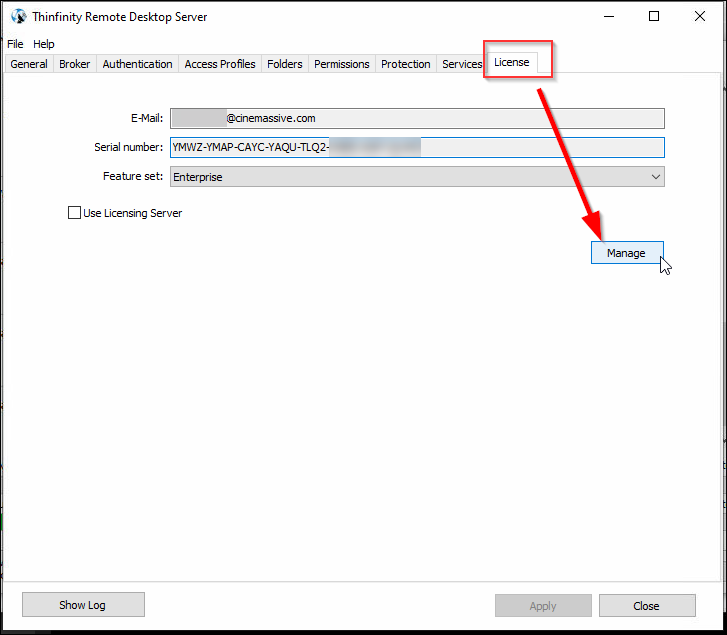
Open Thinfinity Remote Desktop Server and navigate to the License tab.
Click the Manage button.
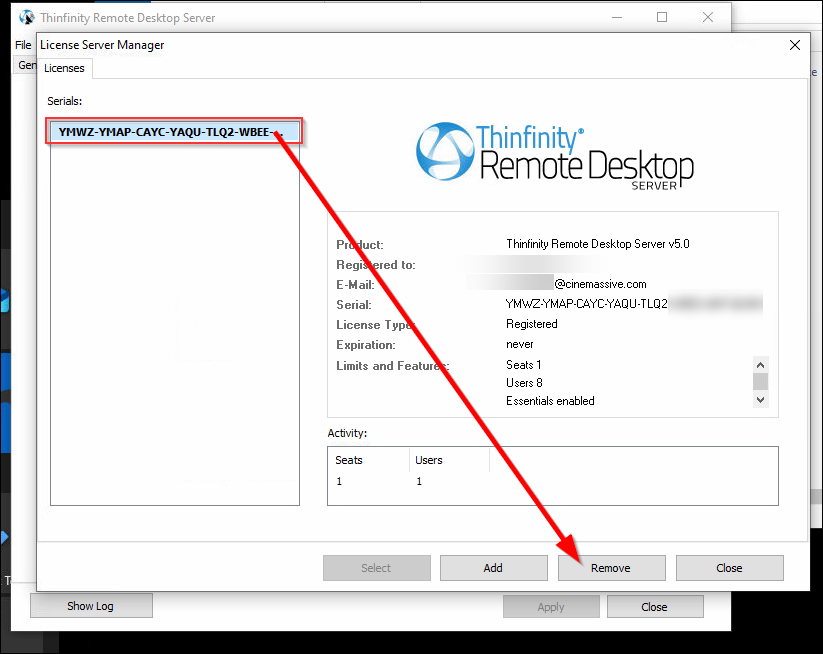
Select the license serial number and click Remove.
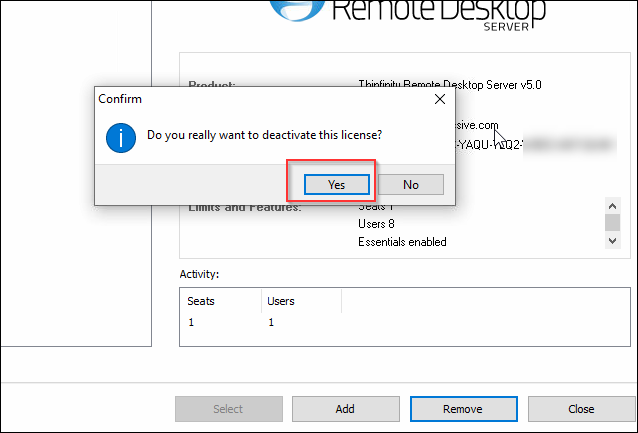
Click Yes to confirm.