
Controls
Browser Controls
For web assets, the Controls panel allows you to interact with the browser and manage bookmarks. Typically managed on the CineAgent content streaming server, which can stream from one to sixteen web-based assets depending on the model, the user is not limited to a set number of pre-loaded URLs. Unlimited bookmarks can be saved for quick browser navigation within the Activity Interface.
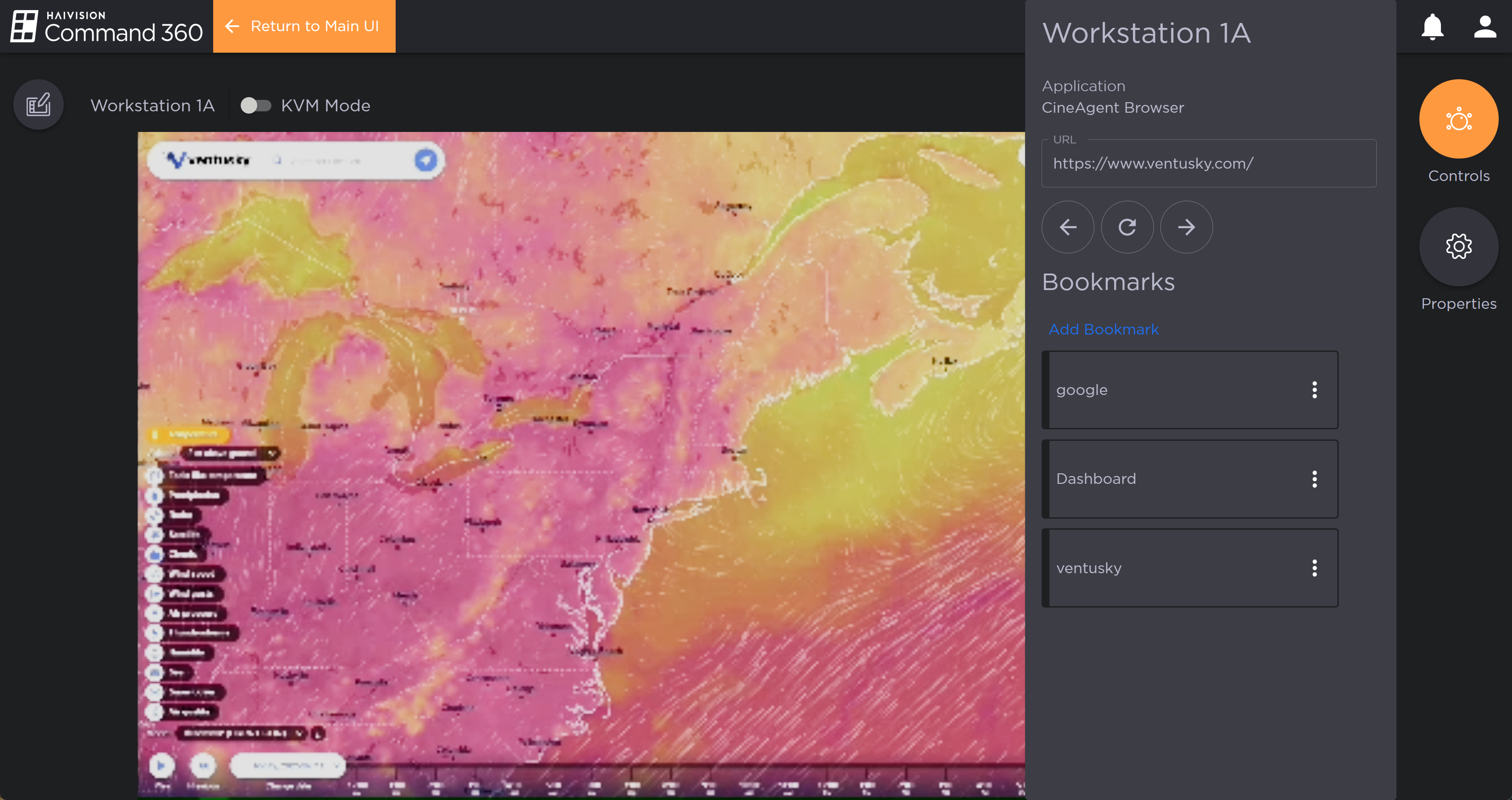
Browser Asset Controls
From the Controls panel you can:
Enter a web address in the URL field.
Navigate back, forward and refresh using the browser controls.
Click the Add Bookmark button to save a new URL.
Click a bookmark to navigate to the URL. Click the
 icon to edit, delete or pin a bookmark. Pinning a bookmark makes it so that if the display is cleared or a layout is applied or edited, the current URL on the CineAgent Browser asset persists.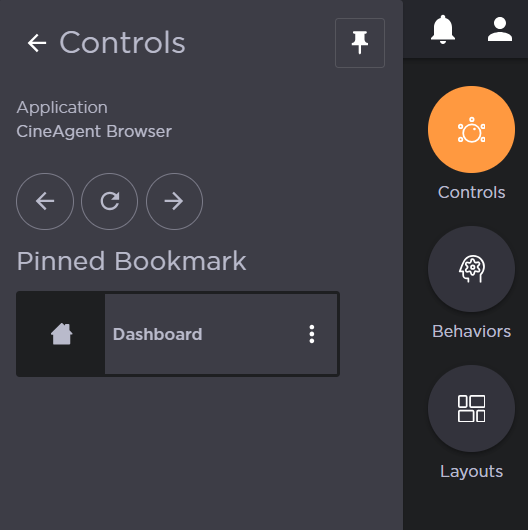
Video Conference Controls
If the CineAgent was configured for video conferencing applications, you can switch between Microsoft Teams and Zoom using the Controls panel.
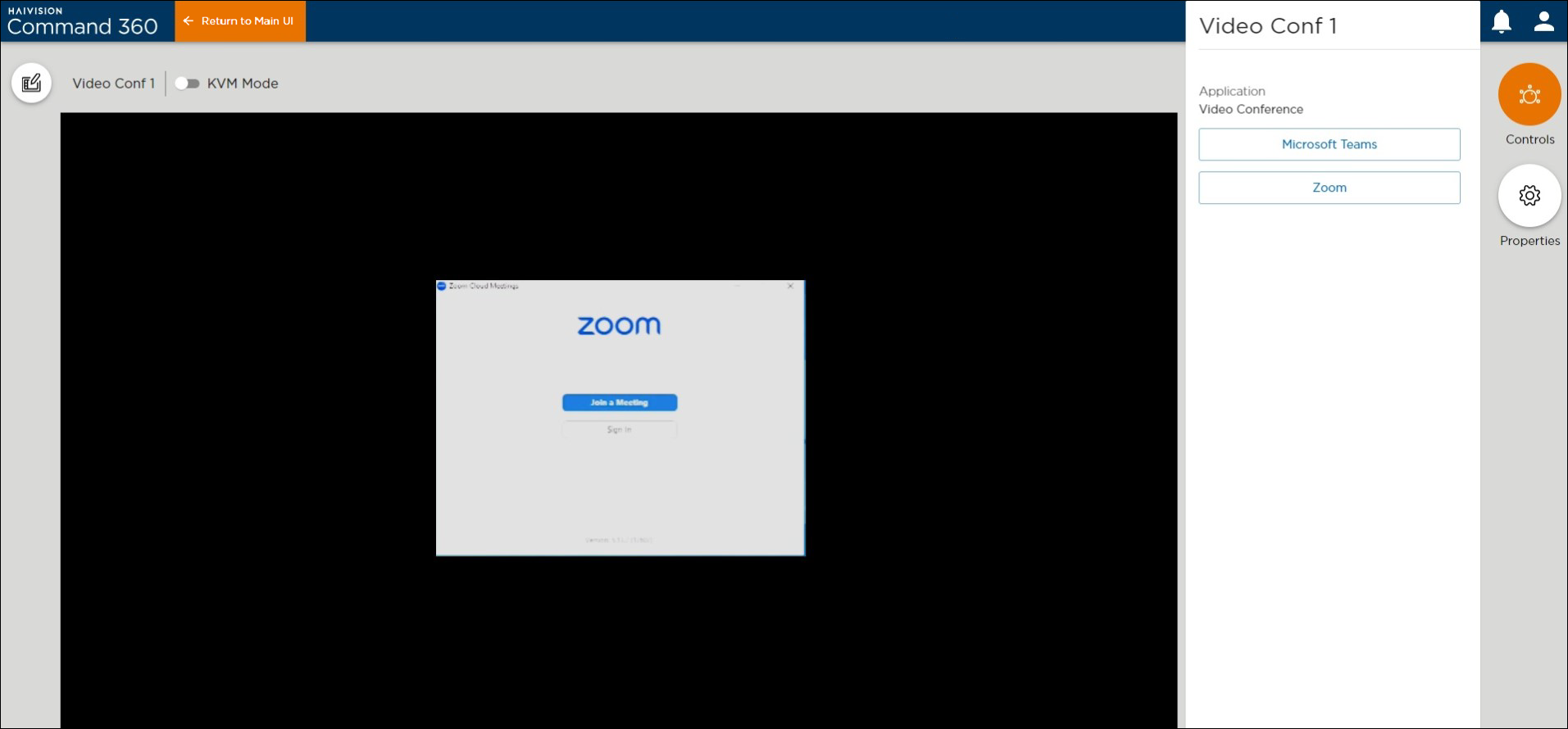
Video Conference Controls