
Configuring Basic SAML
After Creating an Enterprise Application, you can begin basic SAML configuration.
In the left side menu, click Manage > Single sign-on.
Click the SAML tile.
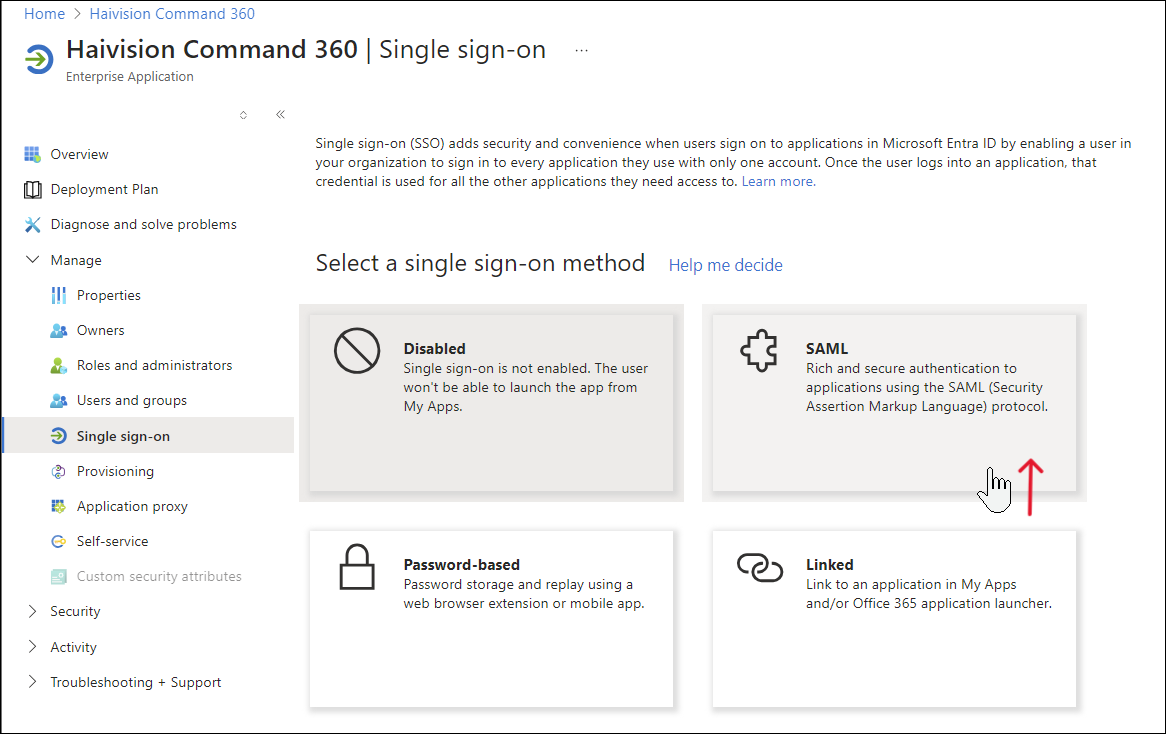
Manage SSO Methods
In the Basic SAML Configuration section, click Edit.
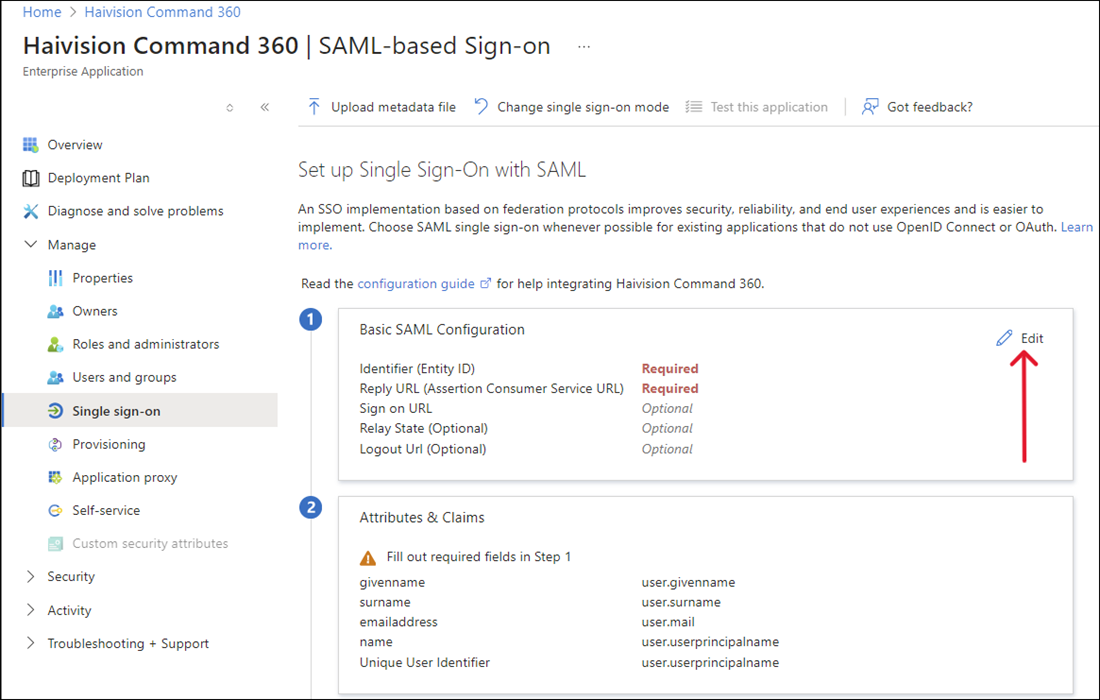
SAML Setup
Enter the following values in the appropriate fields:
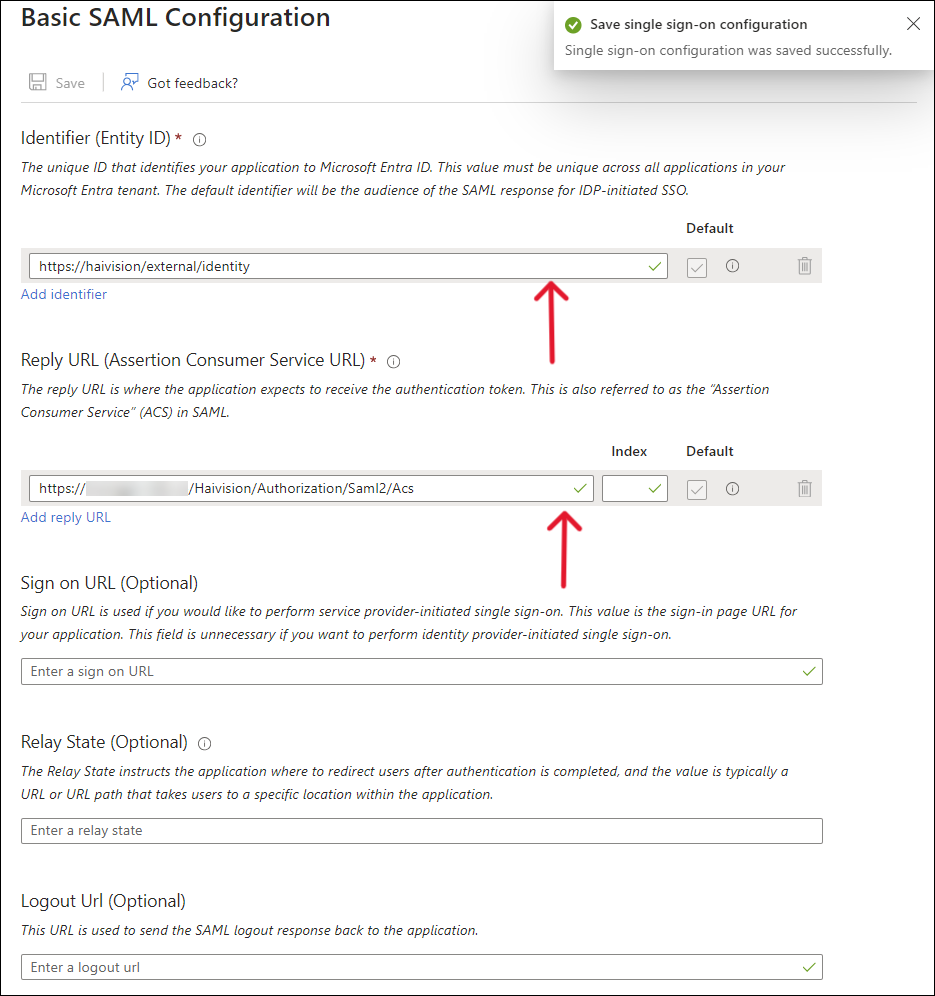
Basic SAML Configuration Fields
Identifier (Entity ID):
https://haivision/external/identityReply URL (Assertion Consumer URL):
https://manager.example.com/Haivision/Authorization/Saml2/AcsLeave the optional Sign On URL, Relay State and Login URL blank.
Click Save.
After completing this task, continue to Editing Attributes and Claims.