
Editing the Canvas
After completing setup of an Alpha FX, certain canvas settings can be edited without resetting the video card.
To edit the canvas:
Click the user icon in the top right and click Admin > Resources.
Click the Alpha FX option on the left navigation column.
On a video card listing with the status Online, click the
 icon immediately to the left of the video card label.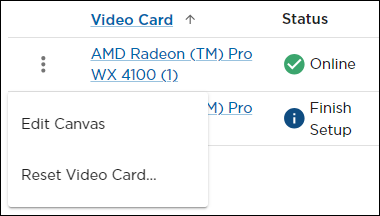
Click Edit Canvas in the subsequent pop-up menu. A side panel opens:
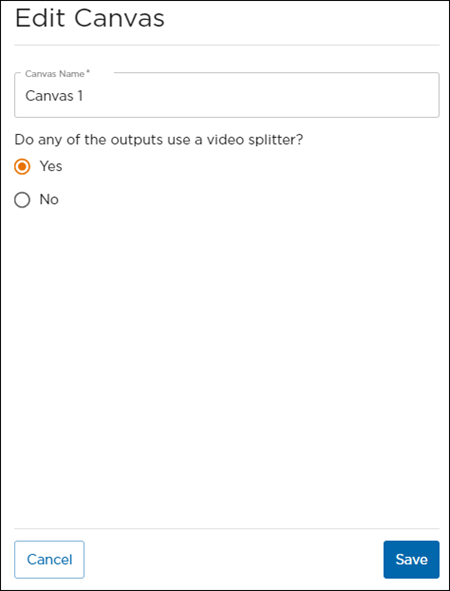
From here, you can:Edit the Canvas Name.
Select whether or not any of the video card outputs use a video splitter.
When finished, click Save.