
Editing Access Groups
To edit an existing access group:
Click the user icon in the top right and click Admin > Global.
Click Account Management on the left navigation column.
Click the Access Groups tab.
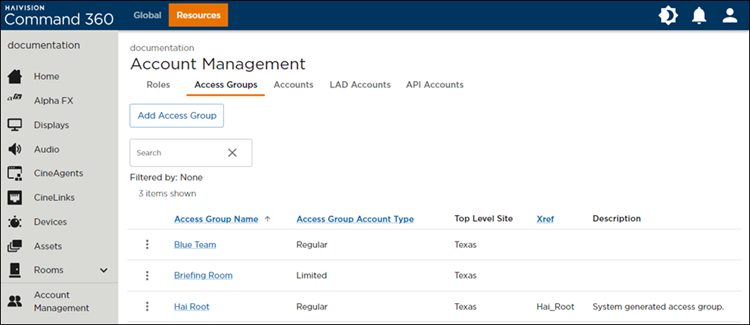
Access Groups Tab on the Account Management Screen
Click the
 icon to the left of the desired group.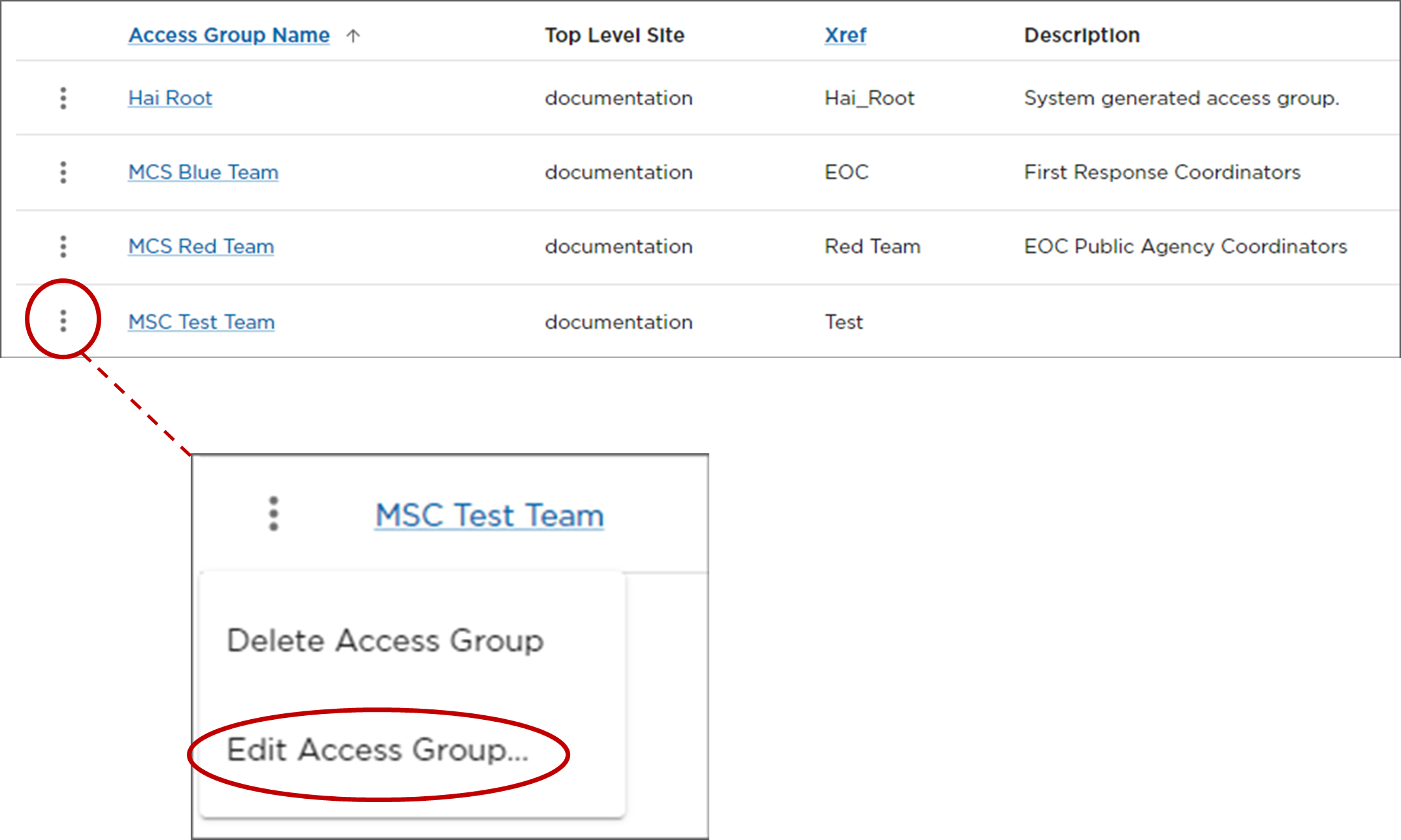
Edit Access Group Option
Click Edit Access Group to launch the access group Name, Description, and Xref input screen. In the following example of editing a LAD access group, you can additionally select which rooms the group should be allowed to access.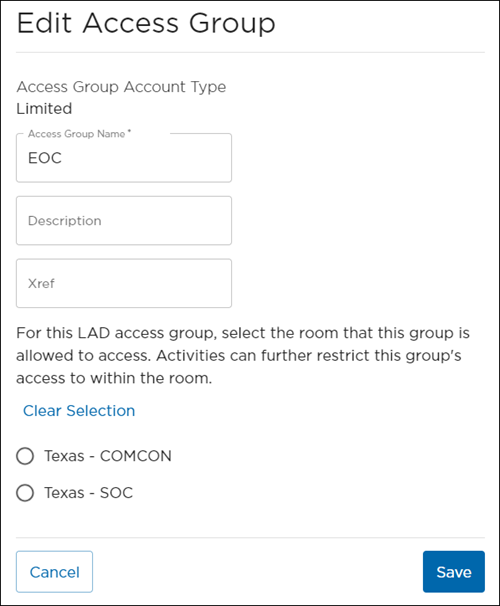
Edit LAD Access Groups
Revise access group as desired, then click Save Access Group.