
Editing a CineLink
After adding a CineLink, the name, location and network settings can be edited.
To edit a CineLink:
Click the user icon in the top right corner and click Admin > Resources.
Click CineLinks on the left navigation column.
Click the
 icon to the left of a CineLink in the summary list and select Edit CineLink.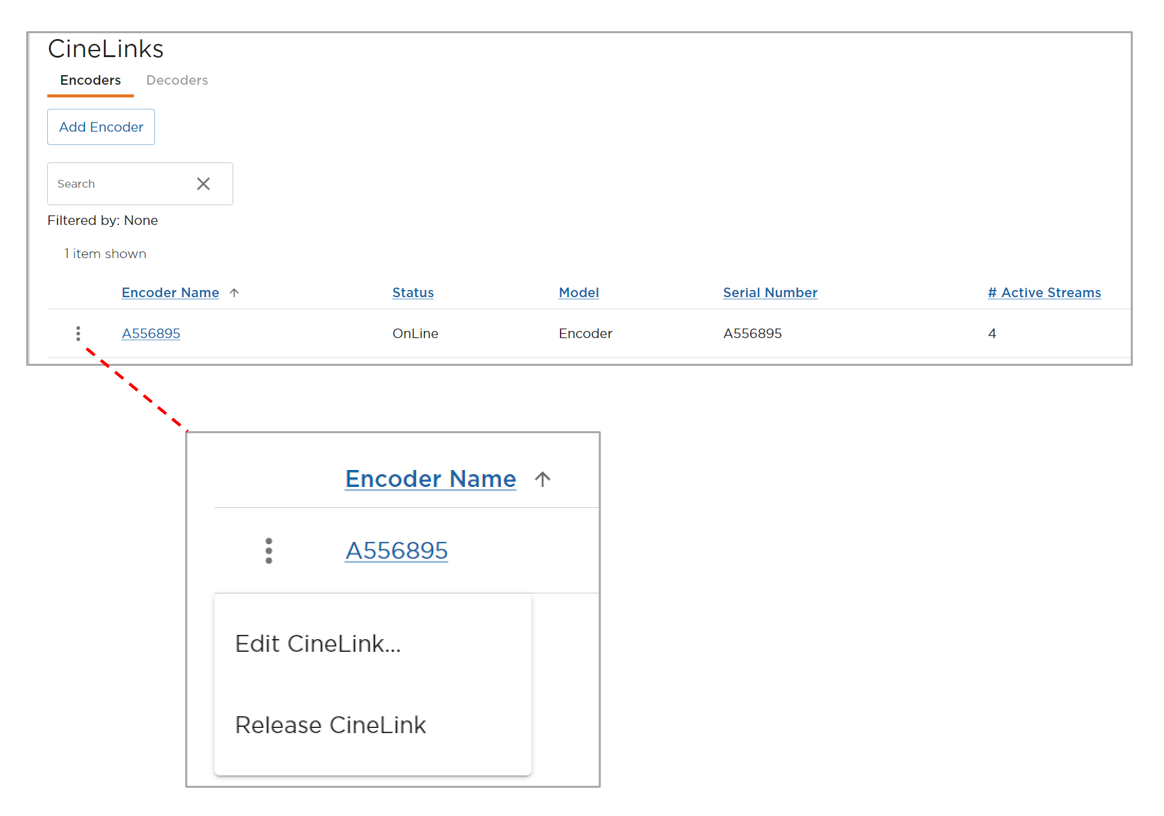
CineLink Options Menu
Enter a new CineLink Encoder Name or Location.
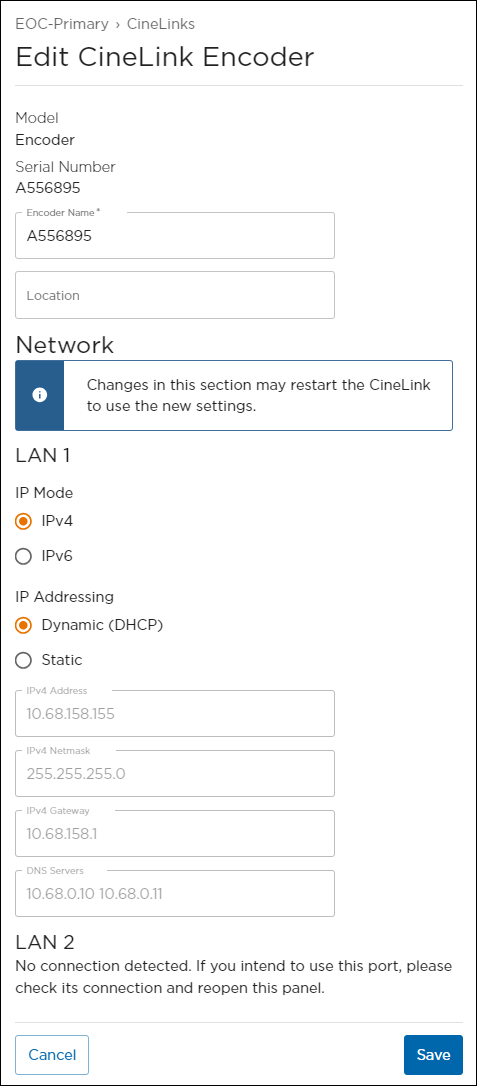
Editing CineLink Properties
Configure LAN 1 settings:
Set the IP Mode to IPv4 or IPv6.
Set IP Addressing to Dynamic (DHCP) or Static.
If set to Static, configure Address, Netmask, Gateway and DNS Servers.
(Optional) If a LAN 2 connection is available, configure the network settings.
When finished making changes, click Save.